AI Search Traffic Drop? 3 Shifts That Work in the Zero-Click Era
Published 2026-10-19 · Updated 2026-10-19 · 8 min read · ShooWork (FREECO CO., LTD.)
Impressions steady but clicks falling? Here's how to confirm AI search is the cause, and the three shifts that actually work in the zero-click era.
Your Search Console may show impressions holding steady or even growing while clicks keep sliding and CTR drops from about 5% to about 2%. If so, you probably didn't break anything. AI search changed how the results page works. Google's AI Overviews and AI Mode answer the question right on the page, and ChatGPT, Perplexity and Copilot put the answer inside a chat. The reader's question gets answered before they ever think about clicking.
Here's the short version, so you don't waste a quarter pushing in the wrong place: most of the traffic AI absorbed won't come back to its old numbers, but you can win on a different set of numbers. Only three moves have actually worked for us. Rebuild your content into types an AI summary can't finish. Move your KPIs from clicks to citations and branded search. Send traffic beyond search into your own list and your own product. Publishing more short informational posts or packing keywords tighter now returns so little that our honest advice is don't.
Before any of that, confirm that AI is really the cause. Plenty of teams were actually hit by a migration, an indexing problem or a core update, and they started fixing the wrong thing on day one. At ShooWork we run our own AI tool platform and our own content site, and this shift hit us too. Everything below is something we changed ourselves and then watched the numbers respond to.
First, Make Sure It's Actually AI Eating Your Traffic
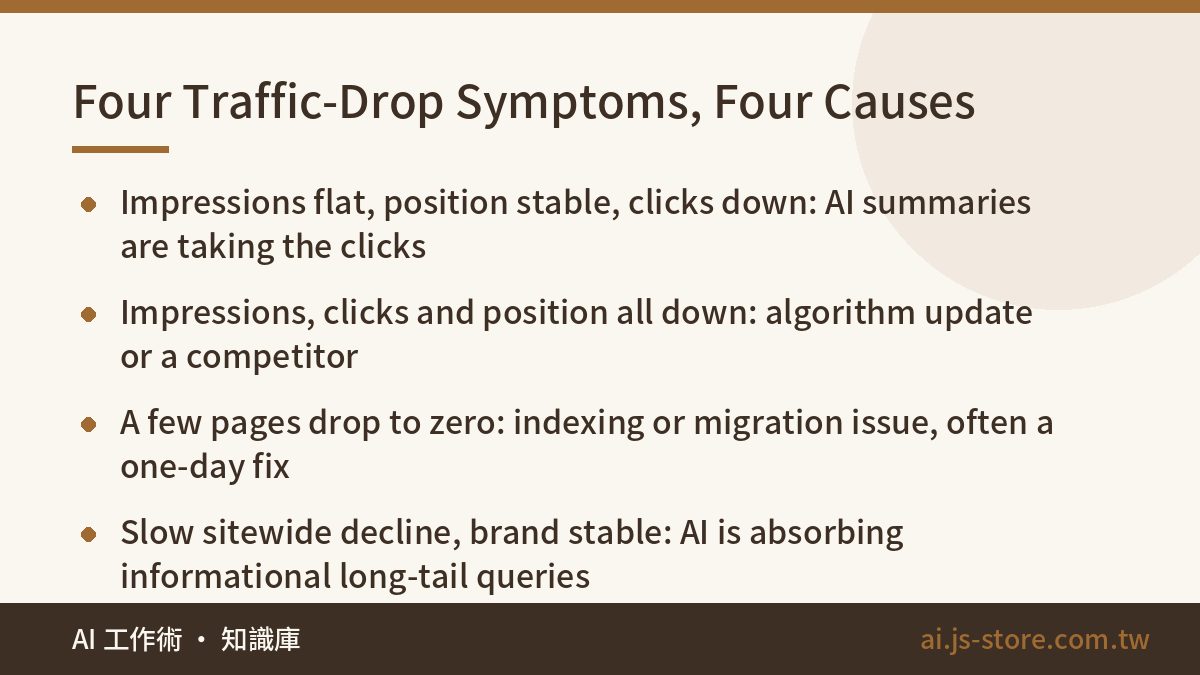
An AI-driven drop is easy to recognize: impressions flat, average position flat, clicks down. If impressions, position and clicks are all falling together, the cause is most likely something else. Don't touch your content strategy yet.
Pull the 16-month view in Search Console and run four checks:
- Split impressions from clicks. The point where the two lines diverge is roughly when AI summaries started covering your queries. Treat everything before that as the old world, and stop using it as your target.
- Cluster your queries. Use three rough buckets: informational (what is, how to), comparison (A vs B, best) and brand or transactional (your name, pricing, buy). Informational queries almost always take the worst damage. Brand queries barely move.
- Line up the timeline. Put the start of the decline next to Google's core update dates and your own changes: redesigns, URL moves, hosting switches, robots.txt edits. If the drop matches a technical change, fix that first.
- Look for new referrers. If GA4 starts showing chatgpt.com, perplexity.ai, gemini.google.com or copilot.microsoft.com, AI tools are already citing you. The volume is just small.
| Symptom | Most likely cause | What to do next |
|---|---|---|
| Impressions flat or rising, position stable, clicks clearly down | AI answers absorbing clicks | Use the three shifts below |
| Impressions, clicks and position all falling | Algorithm update or a competitor overtaking you | Check content quality and trust signals first |
| A few pages suddenly drop to zero | Deindexed pages, a stray noindex, URL changes without redirects | Check index status and 301s; usually a one-day fix |
| Slow sitewide decline, branded and direct traffic stable | AI is absorbing your informational long-tail queries | Move resources to decision-stage content |
This article covers rows one and four. If you're in row two or three, fix the technical issues and content quality first. Treating an algorithm problem as an AI problem can cost you a full quarter.
What Zero-Click Really Means: You're Still Seen, Just Not Visited
Here's how it works. With AI summaries, people find an answer by reading instead of clicking. Your content still gets read and may even be cited as a source. But that reading happens inside Google or ChatGPT, not on your site. You didn't lose visibility. You lost the step where visibility turns into revenue.
These content types get hit hardest, worst first:
- Single facts: what a tool costs, how to write a function, when a holiday falls. AI covers it in one sentence, and clicks drop to almost nothing.
- Definitions: "What is X." The summary takes your definition, and nobody clicks to read the same paragraph twice.
- How-tos: settings guides, install steps. If the steps fit in bullets, the AI will list them.
- Listicles: "10 best tools for X." AI builds its own list on the spot, mixing several sources.
Some content still does well: purchase decisions that depend on trust, comparisons based on first-hand testing, opinion pieces with a real point of view, and pages that are the product, like tools, calculators and templates. Studies of how much CTR falls under an AI Overview vary widely, so don't rely on any one number. They all point the same way, though: the easier your content is to replace with one paragraph, the faster it's falling.
Shift 1: Turn Answer Content Into Content AI Can't Finish
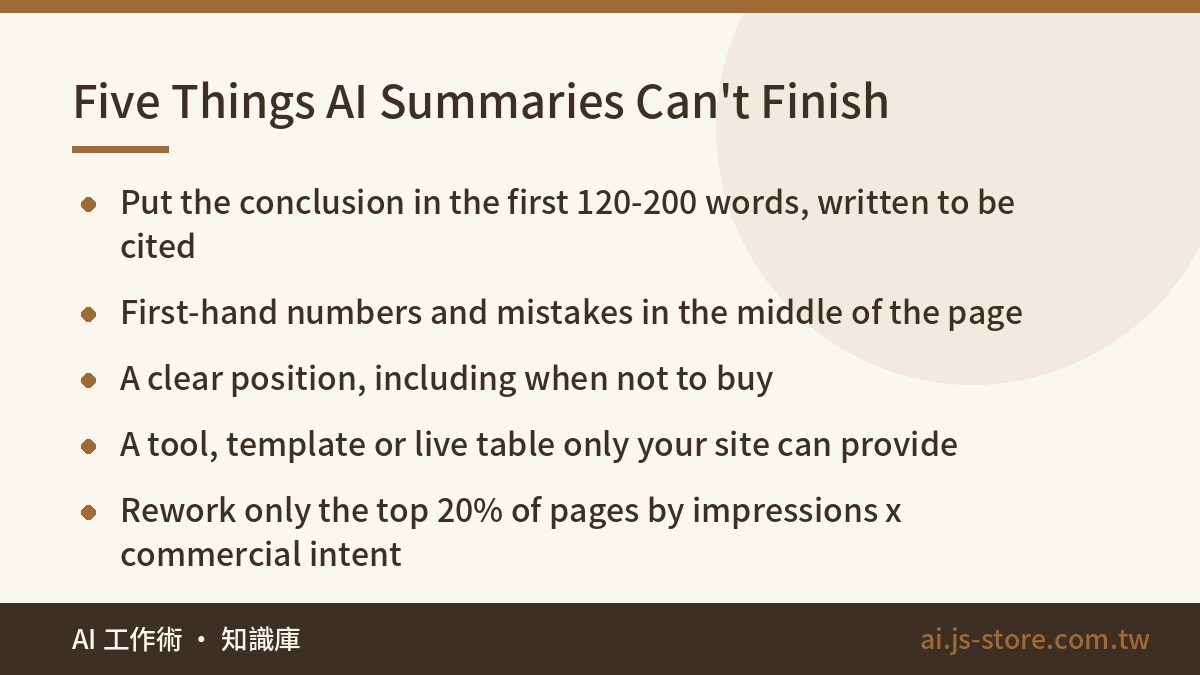
This doesn't mean you should stop writing informational content. It means keep the informational part just long enough to get cited, and give the other 80% of the page to things an AI can't generate. Here's the rewrite recipe we use on our own site:
- Give the conclusion in the first 120 to 200 words. Write a clear definition and a clear answer in full sentences. AI quotes this part when it cites you, and it also serves readers who still arrive from regular search results.
- Fill the middle with first-hand material. Use numbers you actually measured, mistakes you actually made, and the point below which an option isn't worth paying for. AI has no access to that data, so the only thing it can do is cite you.
- Take a position, including "don't." A summary can't fairly shorten a section that says "in this situation, don't buy it." Readers click through to see the full reasoning.
- Add something only your site can provide. This could be a calculator, a downloadable template or a pricing table you keep up to date. AI can describe it, but it can't hand it to the reader.
- Show your update date and method clearly. "We retest this every month" beats "Updated for 2026," because readers can check whether you keep that promise.
Don't spread the effort evenly. Score every page by impressions over the last 90 days multiplied by how commercial its intent is. Then rework only the top 20% and leave the rest alone for now. To make this a repeatable process, use the 12-step checklist in our GEO optimization playbook.
Shift 2: Swap Clicks for Citations and Branded Search
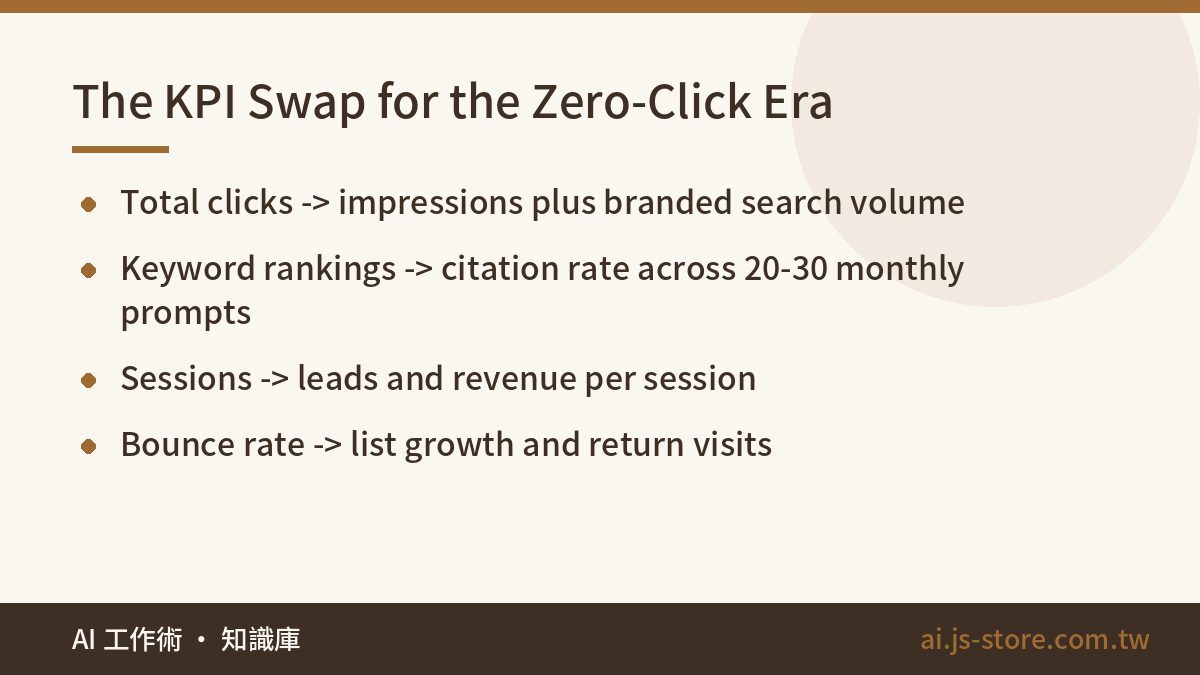
Most teams get stuck here. They change the strategy but not the report. So every weekly meeting reviews a number that will never go back up, and work that is actually right looks like a failure. If you don't change the report, the report will kill the strategy.
| Old KPI | Replace with | How to measure |
|---|---|---|
| Total organic clicks | Impressions plus branded search volume | Search Console trends, branded and non-branded queries tracked separately |
| Keyword rankings | AI citation rate | 20 to 30 fixed prompts, asked monthly on each major AI platform. Log whether you're mentioned and linked |
| Sessions | Value per session | Revenue or leads divided by sessions. AI referrals are small but high-intent |
| Bounce rate | List growth and return visits | Email signups, registrations, product activations |
Keep the prompt list yourself, and write each prompt the way a real person would ask it, for example "What's a good tool to cut long videos into short clips automatically?" Don't just string keywords together. That's how we check whether ShooWork Clip shows up when someone asks about AI video editing. Test on the same day each month and record three things: whether you were mentioned, whether you were linked, and whether the AI got your details right. Correct the wrong answers before you go after the missing ones. A wrong answer usually means your page hides key facts in images, tables or vague sentences, and the AI misread them. If you already have an SEO AI tools workflow, add this monthly check to the rank-tracking step.
Shift 3: Stop Letting Search Be Your Only Exit
The lesson here isn't that AI is bad. It's that relying on one channel for all your traffic was always too risky. You don't control the search algorithm, but you do control your email list and your product.
- Use every high-traffic page to grow your email list. A subscribe box in the corner isn't enough. Give people a concrete reason to sign up, like the checklist from the article, a pricing comparison sheet or a monthly update.
- Let the product bring in its own traffic. A tool page people can try for free holds up better than an article, because AI can recommend it but can't replace it. That's why we put all our tools in one tools hub: when an AI recommends us, people have one clear place to land.
- Open a second and third channel. Try video, social or a newsletter. They don't all need to be big. The point is that you survive if any single channel drops to zero.
- Recalculate acquisition cost. If organic traffic now has a lower ceiling, paid channels deserve a fresh look. Compare cost per lead across channels, not which one has the smallest bill.
Here's how we'd plan the first 90 days:
- Weeks 1-2: Run the diagnosis, rule out technical causes and record a starting baseline for your prompt list.
- Weeks 3-6: Rewrite your 10 to 20 highest-value pages. Add first-hand material and one site-only asset to each.
- Weeks 7-10: Replace the report, add signup prompts and tracking, and start collecting numbers you can compare month to month.
- Weeks 11-13: Run the prompt list again, compare citations and list growth, and pick the next batch of pages.
One warning: none of these shifts shows results within two weeks. AI platforms change which sources they cite more slowly than search rankings move. If you judge results quarter by quarter, you'll usually end up with healthier traffic sources than you had before.
FAQ
Q: Can I just block AI from crawling my site?
Technically, yes. Google offers Google-Extended, and most AI crawlers have their own user agents that you can block in robots.txt. But blocking them won't bring your clicks back. You'll just disappear from AI answers while your competitors keep getting cited. Unless you're a publisher that earns from a paywall, we don't recommend it.
Q: How much of a traffic drop is normal?
There's no universal number. It depends on your mix of queries. Sites that rely on informational long-tail queries drop noticeably, while sites built on brand and transactional queries barely notice. To find your real loss, look at clicks on non-branded informational queries on their own.
Q: Is traffic from ChatGPT and Perplexity worth investing in?
It's usually much smaller than organic search traffic, but these visitors chose to click after reading the AI's answer, so they know what they want. Measure leads or revenue per session, not the number of sessions, and let your own data decide how much to invest.
Q: Do I need to rewrite all my old articles?
No, and we'd advise against it. Rework the top 20% of pages by impressions multiplied by commercial intent, and leave the rest. Rewriting lots of low-value pages never pays off. Spend that budget on one genuinely useful tool page instead.
Q: Can I drop SEO and just do GEO?
No. Much of what AI cites still comes from search indexes. If your site isn't indexed properly, loads slowly or has a messy structure, AI can't read it either. GEO builds on SEO. It doesn't replace it.