Google Ads for Beginners: Launch Your First Search Campaign
Published 2026-09-27 · Updated 2026-10-13 · 8 min read · ShooWork (FREECO CO., LTD.)
A step-by-step Google Ads guide for beginners: account setup, conversion tracking, keywords, match types, budget, and the checklist to run before launch.
You opened the Google Ads dashboard, looked at it for a minute, and closed the tab. We hear that constantly. The interface is built for every advertiser on the planet — a brand spending seven figures a month sees the same menus you do. As a small business you need maybe 10% of what is in there, and nobody tells you which 10%.
This article is that map: account setup, conversion tracking, keywords and match types, campaign structure, ad copy, budget and bidding, and the checklist you run before hitting Enable. Work through it in order and you can get a first search campaign live correctly — without hiring an agency, and without paying tuition to Google in the form of bad default settings.
This is not theory from a course. We run our own AI tools platform, we buy our own traffic, and we build ads tooling other people use. What follows is the sequence we walk every time we open a new account, including the parts we got wrong the first time.
Answer three questions before you spend a cent
Ads are not a money printer. They are an amplifier, and what gets amplified might be revenue or might be a problem you have not noticed yet. So before you enable anything:
- What job is this ad doing? Search ads are brilliant at exactly one thing: putting you in front of someone already typing what you sell. If nobody searches for your thing yet — new category, demand you still have to create — search is the wrong first channel, and no clever setup fixes that.
- Is the landing page actually ready? The ad gets someone to the door; the page closes the sale. Price visible without three screens of scrolling, readable on a phone, a button you can hit with a thumb. Miss any of those and more traffic just means a bigger leak.
- What is one order worth to you? Start from gross margin, work backwards to a cost per acquisition you can live with, and write the number down. Without it you will never know whether to scale or stop. If you have never run that math on a channel, our guide to turning activity into real money covers the arithmetic.
If any answer is "not yet", fix that first. Ads are the most expensive possible way to discover you were not ready.
Account setup: three traps in the signup flow
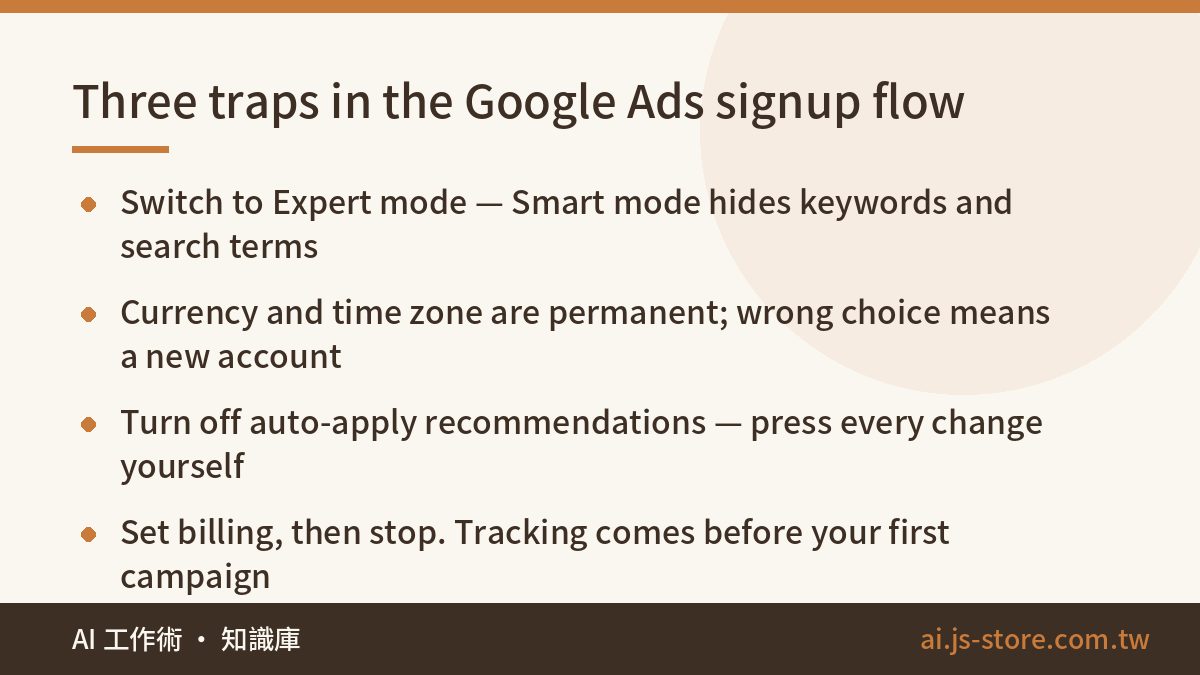
Create the account at the official Google Ads site with a Google login. The wizard is friendly, and that is the problem — it is optimised for getting you spending, not for giving you control. Three things to get right:
- Switch to Expert mode, not Smart mode. The default flow pushes you toward a heavily simplified smart campaign: fewer options, nicer onboarding, and no access to keywords, negative keywords, or the search terms report. Those three are the whole game. Find the switch-to-Expert-mode link before you build anything, or nothing below will match your screen.
- Currency and time zone are permanent. Pick the currency you report in and the time zone you work in. Choose wrong and your only fix is opening a fresh account and starting over. There is no settings page for it later.
- Turn off auto-apply recommendations. Google will keep suggesting optimisations, and plenty of them widen your reach — a polite way of saying they spend more money. Read the recommendations. But every change should be a button you pressed on purpose.
Once billing is in, stop. Do not create a campaign yet.
Install conversion tracking before you launch anything
This is the most important step here and the one most people skip. An ad account without conversion tracking is a car with no dashboard. You can tell fuel is burning (spend); you have no idea whether you are moving (orders). Worse, automated bidding runs on conversion data, so every day you delay is a day the algorithm does not start learning.
The shape of it: create a conversion action (purchase complete, form submitted, chat started), install the Google tag, and fire the conversion on the thank-you page or event. Already on GA4? Import GA4 events as conversions instead of instrumenting twice.
Then verify it — not "the code looks right", but actually walking the flow yourself. Place a test order, submit the form, and confirm a number lands against that conversion action in the dashboard. Broken tracking nobody noticed is the most expensive failure an ad account has, precisely because everything looks normal: spend flows, reports render, and the numbers mean nothing.
Keywords and match types on a small budget
![Match types for a small budget:Exact [term]: core keywords only. Most precise, least waste、Phrase "term": your workhorse](/learn-img/inline/en-google-ads-guide-for-beginners-2.jpg)
Keywords decide who can see your ad. Match type decides how wide that net is.
| Match type | How you write it | What it triggers on | Small-budget verdict |
|---|---|---|---|
| Exact | [pour over coffee filter] | Searches meaning the same thing, or very close to it | Use on core terms. Most precise, least waste. |
| Phrase | "pour over coffee filter" | Searches that include your keyword's meaning | Your workhorse — reach plus control. |
| Broad | pour over coffee filter | Anything the system judges related. Widest net. | Skip during cold start. |
For a small budget the advice is unambiguous: start with phrase match plus exact match on your core terms. Broad match hands your intent to the algorithm to interpret, which works well in accounts with deep conversion history and burns a small account alive during its exploration phase. Test it later, once you have data and a negative list to fence it in.
Speaking of which: build your negative keyword list on day one, before the first click. Exclude intents that will never buy — free, cheap, used, DIY, tutorial, jobs, salary — plus competitor names if you do not want that fight. Then open the search terms report daily for the first two weeks and add every irrelevant query you find. For a small account, the negative list is the moat, and it is the highest-return ten minutes in the whole operation.
Structure, ad copy, budget and bidding
The hierarchy is: campaign (budget, locations, bid strategy) → ad group (keywords) → ad (copy). The classic beginner mistake is dumping every keyword into one ad group, so the person searching "coffee filter" and the person searching "burr grinder" see the same generic ad and both bounce. Rule: one ad group, one theme. Three tight ad groups beat one big one, because the copy can finally match the search.
The ad itself is a responsive search ad: up to 15 headlines and 4 descriptions, assembled into combinations for you. Headlines cap at 30 characters, descriptions at 90 — character limits, not word limits, so count before you paste. Make headlines differ in angle (what it is, who it is for, the offer, the proof, the call to action) rather than five rewordings of one sentence. The system can only test the variety you gave it.
Budget: take what you will spend in a month and divide by 30. Two mechanics matter — Google can spend up to twice your daily budget on a high-traffic day, but it will not exceed roughly daily budget × 30.4 across the month. Judge budget monthly; do not panic at one day's overshoot.
Bidding, pragmatically: while you have no stable conversion history, use a click-focused strategy with a maximum CPC cap so nothing runs away from you. Once conversions arrive consistently, move to a conversion-focused strategy or target CPA. Automated bidding is genuinely good, but it eats data — feed the tracking first, then hand over the wheel, and keep watching the dashboard after you do.
The pre-launch checklist and your first week
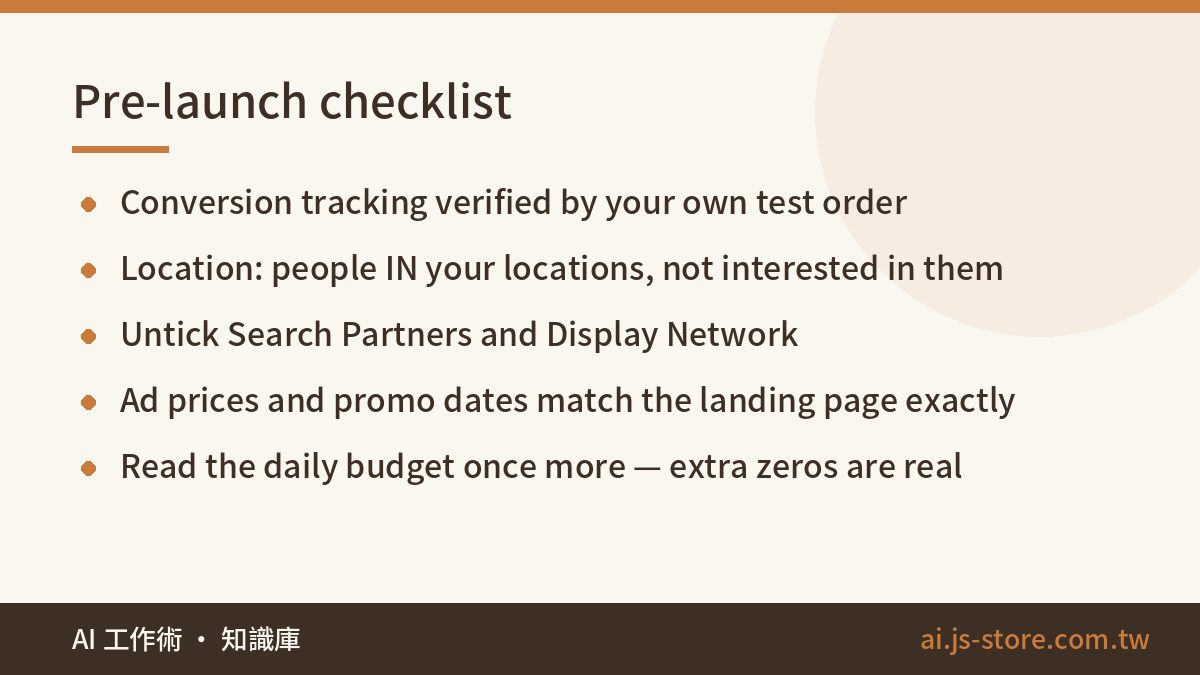
Before you press Enable, tick every line:
- Conversion tracking verified by your own test, with the number visible in the dashboard.
- Location targeting set to people in your targeted locations — the default also includes people merely interested in them, which quietly ships budget overseas.
- Search Partners and Display Network unticked. Both are on by default and both spend outside the search results page. Enable them later as deliberate experiments.
- Every final URL clicked by hand, on desktop and on a phone.
- Prices, discounts and promo dates in the ad matching the landing page word for word. This is the most common way live ads go wrong: the promo ends, the ad keeps running.
- Negative keyword list created and attached to the campaign.
- Daily budget read one more time. Someone types an extra zero every week, and it is not always a beginner.
Launching is the start, not the finish. For week one, spend ten minutes a day in two places: the search terms report (what people actually typed — add the junk as negatives) and cost against conversions by ad group (where money went, what it bought). Do not conclude anything on day three; the algorithm has a learning period and heavy edits reset it. After a week of cleaning, adjust keywords and copy on the trend. If you would rather the numbers came to you than log in daily, automating the recurring report is a good next move.
And if the sheer volume of setup above is what stops you, that is exactly why we turned our own process into a product. ShooWork Ads takes a landing page URL, reads the products and prices on it, and outputs a full campaign package: structure, keywords with match types, negatives, character-compliant RSA copy, and a CSV you can import into Google Ads Editor. There is a free run on signup and credit packs beyond that — current numbers live on the pricing page. One thing we say loudly about our own tool: AI output is a draft, not a signed-off campaign. Structure, character counts and match types are rule-bound, and a model gets them right. Whether that price is today's price, and whether a claim clears your industry's advertising rules, stays a human's job.
FAQ
Q: What is the minimum budget to start running Google Ads?
There is no official floor, but a daily budget that is too small cannot buy enough data to learn from. Work it out rather than guess: a cost per click you can accept, times the clicks per day you would need to see a pattern. The better question is whether tracking is live, so every unit of spend leaves data behind.
Q: How long before I know whether it is working?
Give a search campaign two to four weeks. Week one is the learning period plus your search-terms cleanup, so it is the least representative week you will have. Judge the trend in conversions, not daily swings. And without conversion tracking, three months of clicks still tells you nothing.
Q: Smart mode or Expert mode — which should I use?
Expert mode, from day one. Smart mode is a simplified automated experience: less to configure, but no full keyword control and no search terms report, which means no negatives and no visibility. Every step in this guide assumes Expert mode.
Q: I have no website, just a marketplace shop and social profiles. Can I run search ads?
Technically you can point ads at any working page, but you cannot install your own tracking on someone else's platform — so you are flying blind and automated bidding has nothing to learn from. If search is meant to be a long-term acquisition channel, one self-hosted landing page is worth the weekend.
Q: Can I publish AI-generated campaign settings and copy as-is?
No, and that includes output from our own tool. A model reliably handles the rule-bound parts: structure, match types, negative lists, character limits. It cannot confirm a price is live today or that a claim is legal in your category. Treat AI output as a first draft that removes the boring 80%, then review the 20% carrying the risk.