AI PDF Summary: Follow-Up Prompts for Contracts, Reports & Papers
Published 2026-11-06 · Updated 2026-11-06 · 8 min read · ShooWork (FREECO CO., LTD.)
Summarize PDFs with AI the right way: check the text layer, ask in three rounds, demand page citations, and spot-check contracts, financials and papers.
To summarize a PDF with AI, upload the file directly, but don't stop at “summarize this.” First ask for the document's structure. Then say which angle you care about (risks, numbers or conclusions). Finally, make it attach a page number to every point so you can check those pages in the original. Done this way, a 50-page contract or annual report takes 15 to 30 minutes to work through. A bare “summarize this” usually gets you something that reads smoothly and quietly leaves out the clause that matters.
A warning before anything else. Scanned files, complex tables and very long documents all trip AI up, and it gets things wrong with total confidence. An AI PDF summary tells you which pages to read yourself. It doesn't let you skip reading. Before you sign anything or spend money, the final check is yours, or a professional's.
Spend ten seconds before uploading: can the AI read the text?
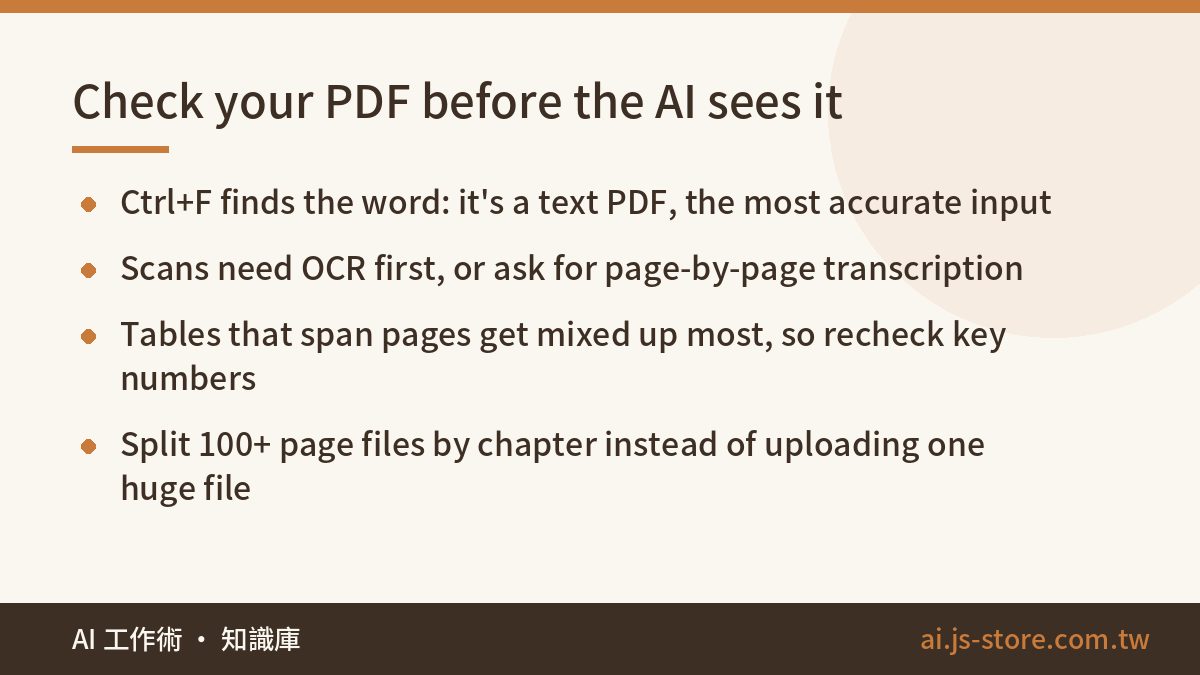
When someone tells me an AI summary was nonsense, I open the file, and most of the time the PDF is the problem. A file exported from Word or Google Docs is a text PDF. You can highlight words with your cursor, and AI reads these most accurately. A paper scan or a phone photo saved as a PDF is an image PDF, which is really a stack of pictures. Some tools run OCR (text recognition) on these automatically. Others pick up a few stray words and fill in the rest from imagination.
Checking takes seconds. Open the PDF, press Ctrl+F (Cmd+F on a Mac) and search for a word you can see on the page. If the search finds it, you have a text PDF. If it doesn't, you have a scan. For a scan, run it through an OCR tool first, or tell the AI “this is a scanned file, transcribe each page before you summarize,” then compare a few pages against its transcription. Handwriting, stamps and blurry pages have the highest error rate, so read those pages yourself.
Once the text is readable, three things still go wrong regularly:
- Tables that span pages or use merged cells get scrambled when converted to text. A number landing in the wrong row is the most common mistake in financial reports.
- With a 200-page annual report, the tool may accept the file, but the AI pays less attention to the middle. Split it by chapter, or tell the AI to work only on a set range of pages.
- Not every tool can read values off a line chart or pie chart. For important figures, rely on the body text or the appendix tables.
ChatGPT, Claude, Gemini, NotebookLM: who does what
Nearly every mainstream AI chat tool accepts PDF uploads now. They differ in how well they hold up on long documents and whether they can show where an answer came from. This is how we split the work after using all four. Free-tier limits on file size, page count and daily usage change often, so check each vendor's official help page instead of trusting a number in a blog post.
| Tool | Best for | Watch out for |
|---|---|---|
| ChatGPT | General summaries, turning content into tables, crunching numbers with its data analysis feature | Sometimes misses details in the middle of long files, so recheck the numbers |
| Claude | Understanding and rewriting long contracts and papers as a whole, with natural-sounding prose | The free tier is limited, and large files burn through it fast |
| Gemini | Files that already live in Google Drive, workflows tied to Google services | Answers can be broad, so you'll need follow-up questions for detail |
| NotebookLM | Cross-checking several documents, when every answer needs a source | Built for research, weak for drafting, less flexible output formats |
If you only want one tool, use whichever chat AI you already use every day for reading a single document closely. Once you're comparing three or more documents at once, such as quotes and contracts from three vendors, switch to a tool that cites its sources, like NotebookLM. Every answer links back to a passage in the original, which makes checking much faster. For a wider comparison, browse our AI tools directory.
Ask in three rounds so the summary fits your decision
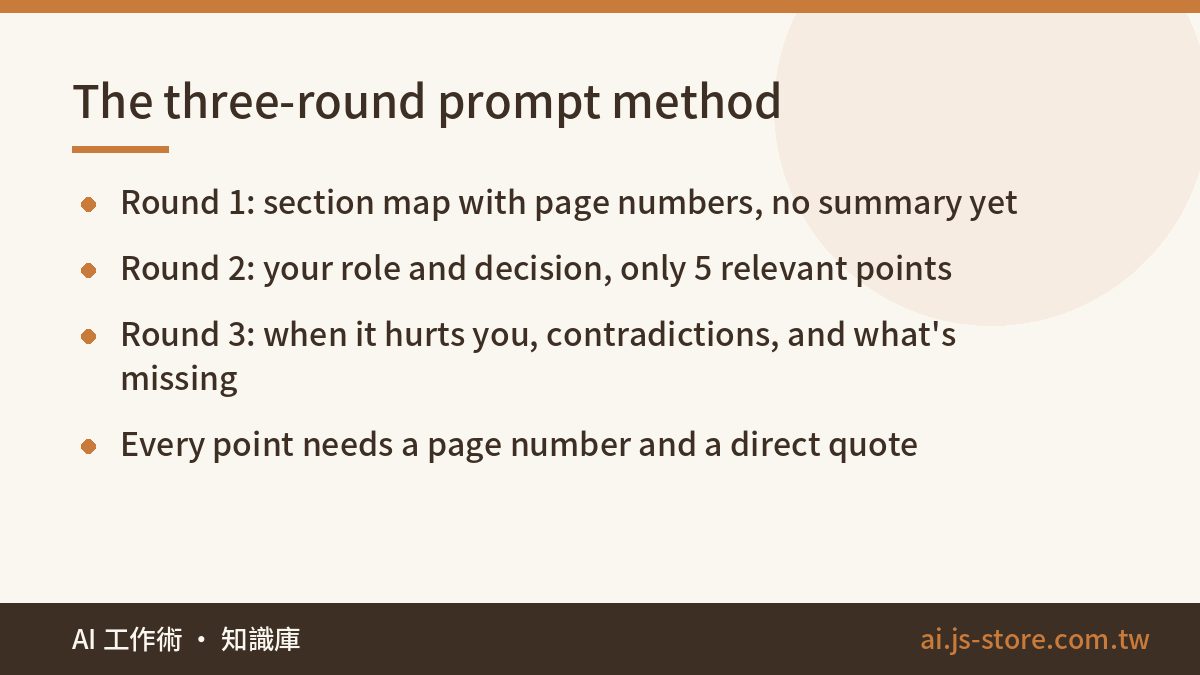
“Summarize this document” gets you a safe, generic paragraph that would be the same no matter who asked. The AI doesn't know who you are or what the summary is for, so it writes for nobody in particular. Splitting the job into three rounds changes the result a lot:
- Round one, ask for a map: “List this document's sections, with one sentence each on what it covers and the page numbers. Don't summarize yet.” This confirms the AI actually read the whole file, and it shows you which sections carry the weight.
- Round two, give your role and goal: “I'm ___ (for example, the supplier about to sign, or a buyer deciding whether to work with this company). I'll use this document to decide ___. Pick only the 5 points that matter for that decision, each with a page number and a direct quote.”
- Round three, push back: for each point, ask “When would this work against me?”, “Does anything else in the document contradict this?” and “What would a document like this normally include that this one leaves out?”
That last question is the most useful one. A summary only reports what's written, and a lot of risk sits in what's missing: a contract with no acceptance criteria, or a paper that never says how samples were excluded.
The same method works for comparing two versions of a document. We run ShooWork, an AI tool platform with its own video-editing engine (ShooWork Clip) and Google Ads tooling (ShooWork Ads). Every time a third-party platform updates its terms of service or developer docs, somebody has to read dozens of pages of dense English. Our routine now is to upload the old and new versions together and ask the AI to “list only the differences and say which ones affect our product.” It's far faster than rereading the whole thing, and we're much less likely to miss a change buried on page 38.
When the summary is done and you have to turn it into a report for your manager, AI report writing covers how to divide structure, data and tone between you and the model.
Contracts, financial reports, papers: different questions for each
Contracts: find the clauses that cost you
When you read a contract summary, look for the places where you could lose out. The exact wording matters less. Ask these questions directly:
- What are the payment terms, deadlines and late penalties?
- Does it auto-renew? How much notice do you need to give to cancel?
- Who can terminate on their own, and what do they owe if they do?
- Who owns the intellectual property and the work produced?
- Is liability for breach capped? Which court or jurisdiction applies?
Then add: “Take our side and list the 3 clauses most unfavorable to us, with reasons.” The AI will quickly flag what to raise with a lawyer and organize your questions, so the consultation goes faster. Its reading is not legal advice. If the amount is large, the obligations are complex or the contract is already disputed, have a professional review it before you sign.
Financial reports: every number needs a source
When an AI summary of a financial report goes wrong, the problem is almost always a number. Pulling figures from tables, AI mixes up columns, reads thousands as single units, or swaps in last year's figure for this year's. Prompt it like this:
- “List revenue, gross margin, operating income and operating cash flow for the last two periods side by side, with the page and table for each figure.”
- “Show the formula for gross margin, not just the result.” With the formula in hand, you can check the math yourself.
- “Which risks does the management discussion mention? What's new compared with last year?”
Pick the 3 most important numbers, check them against the original and make sure the units match. For trends, paste the figures into a spreadsheet and let it do the math. That beats asking the AI to calculate in its head. A financial summary helps you understand where a company stands right now. It isn't investment advice.
Research papers: ask what it didn't prove
The classic mistake is citing a paper's conclusion after reading only the abstract. Have the AI break the paper into five parts: research question, method, sample (size and source), main findings, and the limitations the authors admit. Then ask two more questions. How far do these conclusions reach, and where do they not apply? What did this paper not prove, and which claims are just the authors' speculation?
If the paper is in a language you read less fluently, ask for the summary in your own language with technical terms left in the original. The terms stay the same all the way through, and you'll have the right keywords when you search for related work later.
Catch what the AI made up
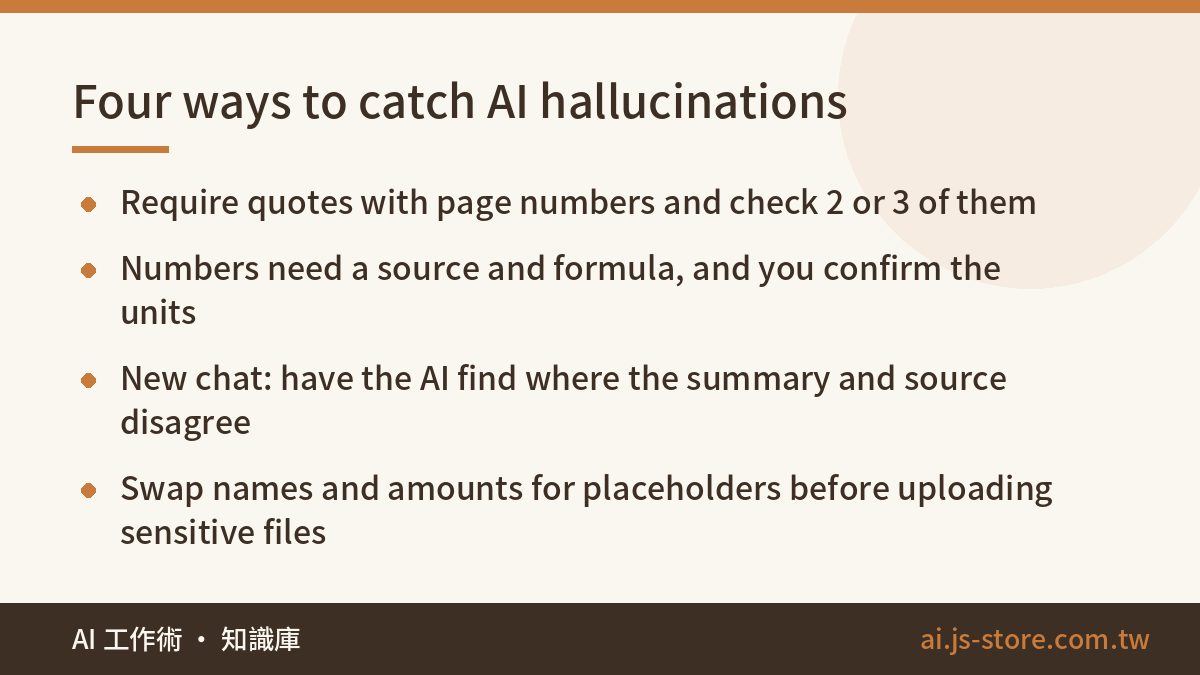
The mistakes AI makes when reading PDFs fall into four groups:
| Common error | Why it happens | Fix |
|---|---|---|
| Clauses or sentences that don't exist | The document doesn't say it, so the AI fills in what “documents like this usually say” | Require direct quotes with page numbers, then check 2 or 3 of them |
| Wrong column, wrong units | Tables get scrambled when converted to text | Require a source and formula, and check key numbers yourself |
| Later sections missing | Attention drops in the middle and end of long files | Get the section map first, then ask section by section |
| Conclusions too rosy or too cautious | No role or purpose was given | Say which side you're on and what decision you're making |
Then run one more check, this time in reverse. Open a new conversation, upload the summary along with the original, and ask: “Where does this summary disagree with the source, or claim more than the source supports?” Asked to find faults, the AI often catches errors it made the first time. Once every point you checked holds up and the numbers trace back to the source, you can start trusting the summary. For why models invent things in the first place, read AI hallucination explained.
Three checks before you upload a sensitive file
Before a contract, a draft financial statement or client data goes into an AI tool, check three things:
- Does your company have a rule about which documents can't go to outside AI services?
- Have you turned off the setting that lets your chats be used to train models? Every vendor puts it somewhere different, so check their help docs.
- For truly sensitive files, replace company names, personal names, amounts and ID numbers with placeholders before uploading. The summary comes out almost as good.
Meeting recordings fit the same process. Transcribe first, then run the three rounds of questions on the transcript. To pick a transcription tool, see AI transcription tools compared.
FAQ
Q: Is a free plan enough for PDF summaries?
For the occasional document of 10 to 20 pages, usually yes. You'll run into limits on file size, daily uploads and how well it handles long files, and vendors change those often, so check their official pricing pages. If you read 100-page contracts or annual reports every day, a paid plan is noticeably more reliable.
Q: The PDF is too long and the AI says it's over the limit. What now?
Split it by chapter and upload the parts one at a time. Ask for a section map for each part, then have the AI combine them at the end. You can also upload only the sections you need. For a financial report, that might be the income statement, the balance sheet and the management discussion.
Q: Can I trust the page numbers the AI cites?
Usually, but check. Many reports number their front matter separately, so “page 12” in the footer might be page 16 of the file. If a quote isn't on the cited page, search for a few words of it with Ctrl+F. If you can't find it anywhere, treat that point as made up.