AI Hallucination Explained: Why It Happens + a 5-Step Fact-Check
Published 2026-10-28 · Updated 2026-10-28 · 8 min read · ShooWork (FREECO CO., LTD.)
Why does AI hallucinate? It predicts words, it doesn't check facts. Learn the 5 root causes, which content is riskiest, and our 5-step fact-check routine.
Why does AI hallucinate? A large language model doesn't look anything up. It predicts the next word. It has read a huge amount of text and learned what a correct-sounding answer looks like. Nothing inside it stops to ask "is this actually true?" So when it doesn't know something, it rarely says "I don't know." Instead it writes an answer that's fluent, confident and full of specific detail, and that's exactly why it's dangerous.
The problem gets worse during training. When models are scored, a lucky guess earns points and "I'm not sure" usually earns nothing. After millions of rounds like that, a model learns that guessing pays. That's why newer models don't get rid of hallucinations. They make fewer of them, and the ones that remain are harder to spot.
So here's the bottom line: you can't eliminate hallucinations. You can only manage them. Below we cover the five root causes in plain English, which kinds of content are most likely to burn you, and the five-step fact-check our team runs every day before anything gets published. If you follow it, you'll catch most errors before your readers do.
What an AI Hallucination Is (Hint: It's Not Lying)
An AI hallucination is output that sounds right but is wrong, or refers to something that doesn't exist at all. In practice, it usually shows up in one of four forms:
- Made-up sources: papers, books, URLs or court cases that were never written.
- Numbers that don't match the facts: prices, dates, version numbers and statistics stated with precision, but wrong.
- Imaginary features: a tool supposedly has a button or setting it never had.
- Mixed-up people: one person's career attached to someone else, or a biography invented for someone who's only slightly well known.
Calling this "lying" is wrong. A liar knows the truth and says something else. A language model has no concept of true or false. It's playing a very sophisticated game of autocomplete. Ask it who wrote a certain paper and it will produce a name that looks like an author's name. It isn't searching a database.
The consequences are already real. A US lawyer used ChatGPT to draft a court filing that cited several cases that didn't exist, and the court sanctioned him. The lesson most people miss: the more confident the AI sounds, the more careful you should be. That's the first rule of using AI for anything that matters.
Why AI Hallucinates: 5 Root Causes
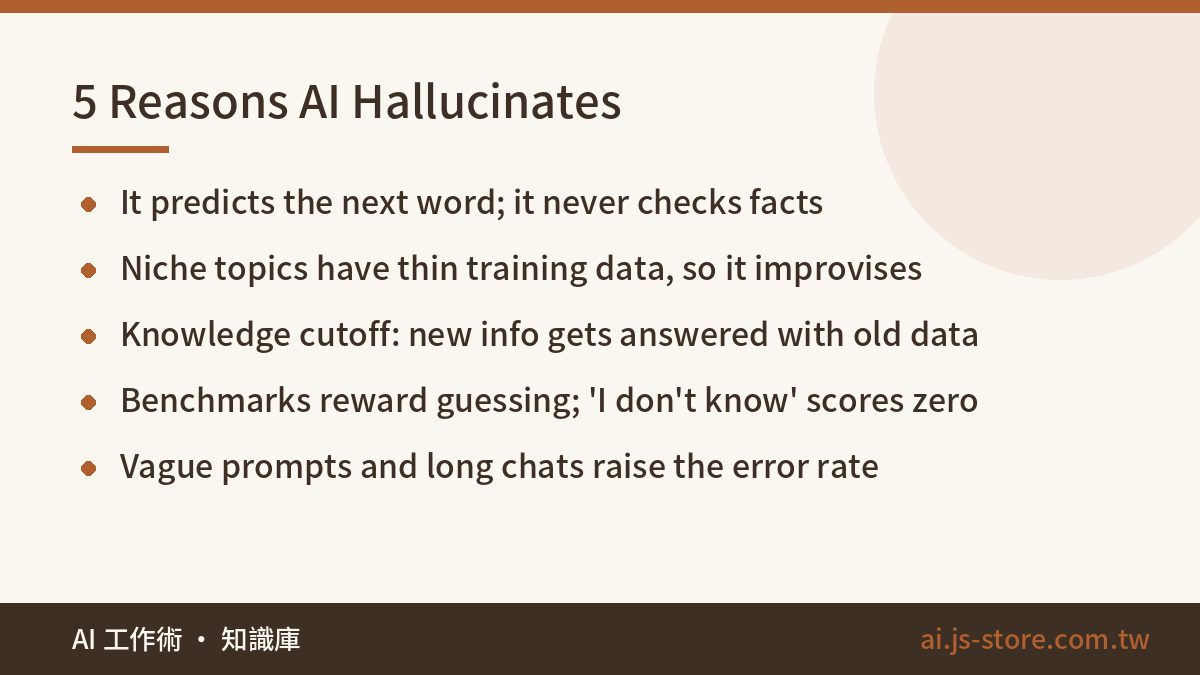
- It predicts probabilities, not facts. At each step, the model picks whatever word fits best next. Fitting well isn't the same as being correct, and the gap is widest on topics the model hasn't seen much of.
- Niche knowledge is thin. Popular facts appear thousands of times in training data, so the model knows them well. A small local brand, an obscure regulation or one company's internal policy might appear a handful of times or never. The model fills the gap by stitching together similar-looking material.
- Its knowledge has a cutoff date. Training data stops at some point. New products, new prices and new policies after that point don't exist for the model, and it often won't warn you. It applies old information to a new question with full confidence.
- Training rewards guessing. OpenAI researchers published work in 2025 showing that most benchmarks only measure accuracy, so "I'm uncertain" scores zero. It's like a multiple-choice exam: a guess might score, a blank never will. Models learn to always write something.
- Your request is vague or the conversation is too long. If you don't define the scope, the model fills it in with its own assumptions. In long chats, earlier details can fall out of what the model is effectively paying attention to, and answers start contradicting each other. We explain why this happens in What Is a Context Window?
Taken together, the pattern is simple: the more niche, recent or precise the question, and the longer the conversation, the higher the hallucination risk. This isn't one vendor's problem. ChatGPT, Gemini and Claude all do it. They differ in how often it happens and what the errors look like.
Which Content Hallucinates Most: A Risk-Tier Table
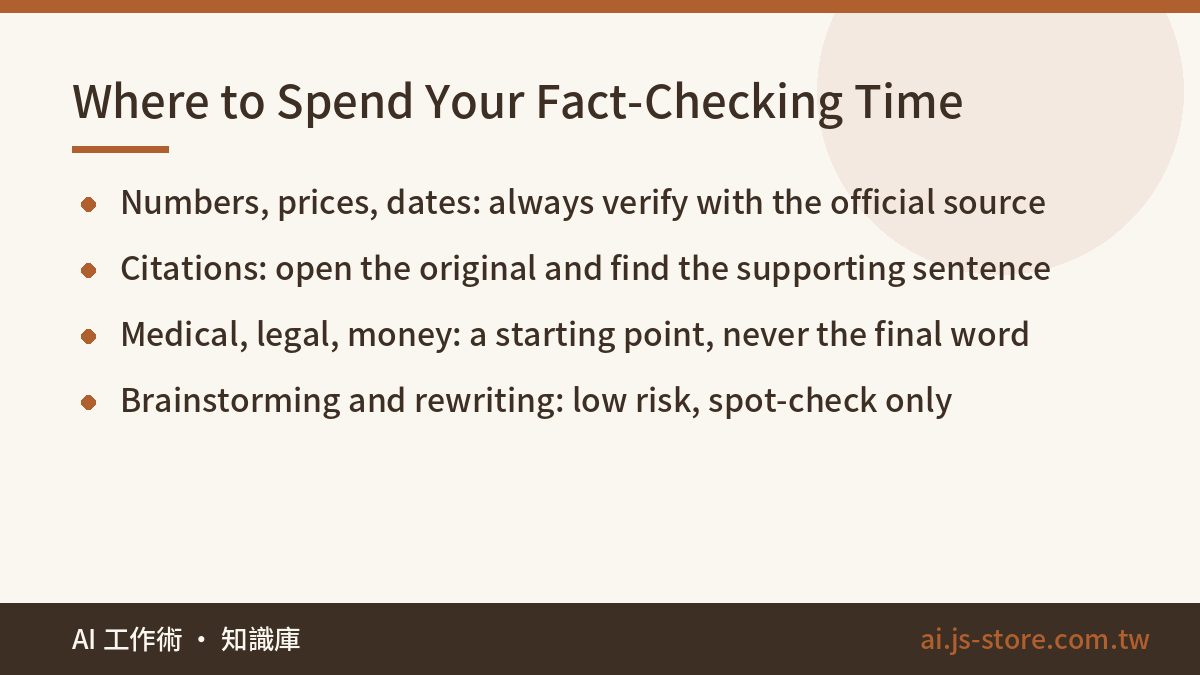
Don't fact-check every sentence an AI writes. If you do that, you might as well write it yourself. The trick is triage: spend your checking time where a mistake would actually hurt.
| Risk | Content type | Typical example | What to do |
|---|---|---|---|
| High | Specific numbers, dates, prices, version numbers | "The plan costs X per month", "launched in March of year Y" | Always check against the official source. If you can't confirm it, delete it. |
| High | Citations, sources, laws, court cases, research papers | "According to a study by..." | Open the original and confirm it exists and says what's claimed. |
| High | Medical, legal, tax, investment | Dosages, contract clause interpretation | Use only as a starting point. Let a professional make the call. |
| Medium | Tool features, step-by-step instructions | "Turn on option X in Settings" | Click through it yourself and confirm the screen still looks like that. |
| Medium | People and company background | Founder history, company size | Cross-check against at least two independent sources. |
| Low | Brainstorming, rewriting, summarizing material you provided | Headline ideas, polishing copy | Read it for flow and spot-check against your original. |
We run ShooWork, our own AI tools platform, so we write a lot of descriptions of other people's tools. The mistakes that bit us most often were prices and free-tier limits. AI would give us last year's plan, or mix up currencies, and the result always looked plausible. So we set a blunt rule: AI is not allowed to fill in price fields. A human checks every price against the vendor's official pricing page. AI drafts everything else. The rule costs us a few minutes per listing and has saved us a lot of embarrassing corrections.
The 5-Step Fact-Check Routine We Use Before Publishing
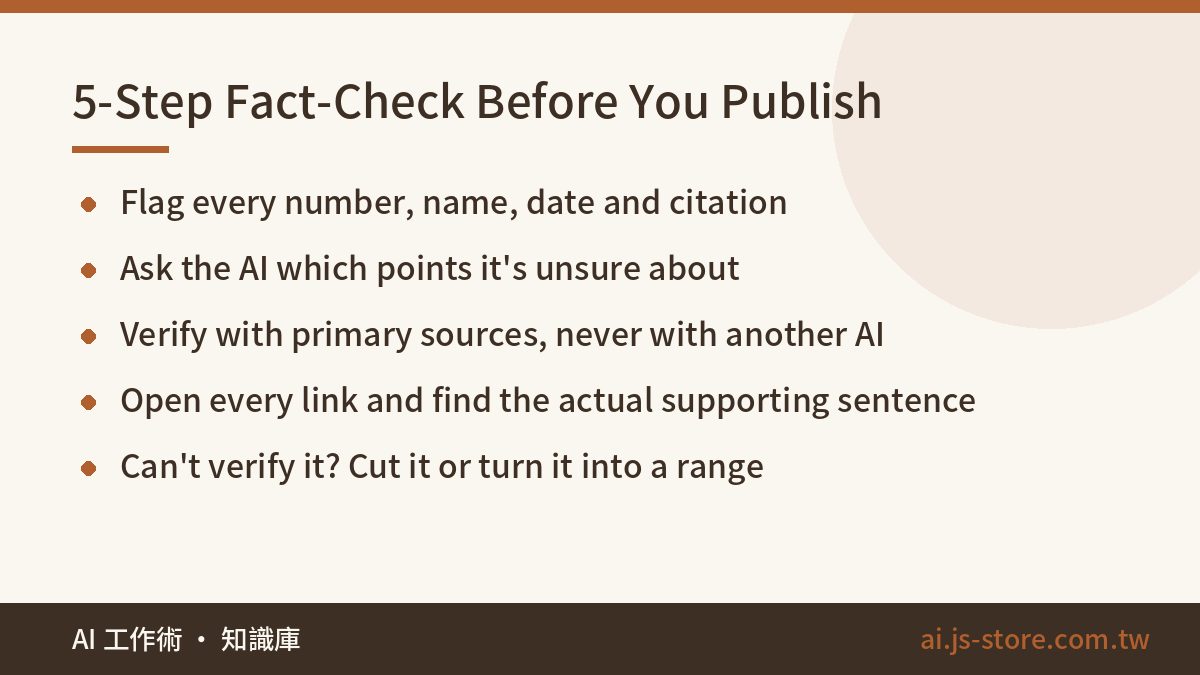
This is what our team does before publishing an article or a tool write-up. It adds roughly 10 to 20 minutes per piece. That's far cheaper than a reader catching the error, then you fixing the post and apologizing.
- Flag every checkable claim. Mark every number, name, date, citation and feature description. You can have the AI do this: "List every verifiable factual claim in your answer above."
- Ask how sure it is. Follow up with "Which of these are you unsure about? Which might be outdated?" Its self-assessment isn't fully reliable, but it often points to the claims it was shakiest on, and that narrows your search.
- Go to primary sources. Use official websites, pricing pages, documentation, government notices and the original paper. Don't use one AI to verify another. Both models may have learned the same wrong information.
- Open every link. AI-supplied URLs may be invented. Or they may exist but say nothing about the claim. Confirming the page loads isn't enough. You need to find the sentence that actually supports the claim.
- If you can't verify it, cut it or soften it. Replace an unconfirmed exact number with a range or "see the official site." Delete any quote you can't trace. Leaving a number out is always better than publishing a wrong one.
A practical cutoff: for notes only you will read, steps 1 to 3 are enough. For anything that goes to the public, a client or your boss, do all five. Don't skip steps because the answer "looks fine." Hallucinations always look fine.
How to Reduce Hallucinations Up Front: Prompts and Tool Choice
Fact-checking is the last line of defense. You can lower the error rate long before that. These four habits make the biggest difference:
- Explicitly allow "I don't know." Add one line to your prompt: "If you're not sure, say so. Don't guess." It's almost embarrassingly simple, and it noticeably cuts down on invented answers. Put it in your custom instructions so it applies to every chat.
- Give it material instead of asking it to remember. Paste in the official docs, meeting notes or product specs and say: "Answer only from the content above. If it isn't covered, say it isn't covered." Answers based on documents you supply are far more reliable than answers from memory.
- Ask for sources on each point. Have it note which part of your material supports each claim, so you can check quickly.
- Break big questions into small ones. Ask ten things at once and the wrong answers hide among the right ones. Ask one at a time and errors are much easier to spot. Starting a fresh chat for a new task also helps, and our guide to organizing ChatGPT chats shows how to do that without losing context.
On tools: AI with web search does hallucinate less, but not zero. Perplexity, and ChatGPT or Gemini with search turned on, all attach sources. But they can misread a page, pull an outdated version, or cite a source that doesn't actually support the sentence. We compared them side by side in Perplexity vs Google. Our recommendation: use a search-enabled AI for anything recent, and still open the sources. For brainstorming and rewriting, regular mode is fine. Search won't help there.
FAQ
Q: Can AI hallucinations be completely eliminated?
Not today. As long as the model works by predicting the next word, there's always some chance it produces something false. Newer models hallucinate less, but their mistakes can also read more convincingly, so you still need to fact-check.
Q: Do paid AI plans hallucinate less than free ones?
Newer, larger models generally make fewer errors, and paid plans more often include web search and reasoning modes. That doesn't make them error-free. Free or paid, run high-risk content through the same fact-check routine.
Q: If I ask the AI to include references, can I trust the answer?
No. AI can invent URLs and book titles, or link to a real page that doesn't say what it claims. A claim is only verified once you've opened the source and found the sentence that supports it.
Q: How can I tell an answer might be a hallucination?
Watch for these red flags: numbers precise to the decimal with no source, citations that sound authoritative but don't show up in a search, unusually smooth and confident answers to niche questions, and details that change when you ask follow-up questions. When you see one, stop and check a primary source before using the answer.