Automation Silent Failure Checklist: When 'Success' Means Nothing Ran
Published 2026-10-08 · Updated 2026-10-13 · 9 min read · ShooWork (FREECO CO., LTD.)
Your cron job says success but nothing changed? Catch silent failures with three checks: processed counts, who gets alerted, and honest exit codes.
The worst automation bug isn't the one that throws a red error. It's the one that does nothing and still reports success. The cron job finished. Every node in the workflow is green. Your team chat gets the usual "Daily sync complete ✅" at 7:02 a.m. But not one row reached the database. That's a silent failure, and the worst part is that every number you usually check looks healthy.
Don't start by digging through logs. Start with three questions: How many items did this run actually process? Who finds out when it fails? Did the job just run, or did it succeed? If you can't answer all three, your automation can break and nobody will notice. Nobody has noticed yet, and that's the only difference.
We learned this the hard way. At ShooWork we run our own AI tool platform, a video-editing engine and ads tooling, all held together by schedulers and background jobs. One incident was caught by a teammate, not by our monitoring. After that we spent a full day auditing our backends and jobs. We found more than 200 places where code caught an exception, logged it and carried on, and over 50 of them wrote to a database. What follows is the smallest checklist that came out of that audit. You don't need a monitoring platform, and you can run it today.
What a Silent Failure Looks Like (and Why Automations Are Full of Them)
A normal bug blows up in your face. A silent failure does the opposite: it hides the error and reports success. Four patterns cover most cases:
- Catch, log, move on. The catch block holds one line, "sync failed". It doesn't rethrow or send an alert, and the loop keeps going.
- A success flag outside the error handling. The write is inside the try, but
saved = truecomes after it. Whether the write worked or not, the report says it did. - Treating "not found" as "done". A delete removes 0 rows, the code returns early, and the admin panel says "Deleted".
- Returning 200 to a webhook you failed to process. Payment, shipping and social platforms stop retrying once they see a 2xx. That retry was your last chance to recover.
Scheduled jobs, scrapers and AI auto-publishing pipelines are especially prone because no human is watching the screen. If a website goes down, someone notices within five minutes. A job that runs at 7 a.m. can fetch zero records for two weeks and nobody notices. Often your only sign it's alive is the log file's last-modified time. A job that crashes on every run also writes its traceback to that log, so its timestamp looks just like a healthy job's.
| What you see | What may actually be happening |
|---|---|
| "Sync complete" notification | The flow finished, with 0 items processed |
| Log updated every day | The same traceback, written every day |
| Scheduler shows success | Exit code 0, every item failed inside |
| CI is green | That workflow never ran a test |
| Scraper wrote its file | It wrote an empty array over the old data |
Check 1: Counts (a "Success" Without Numbers Doesn't Count)
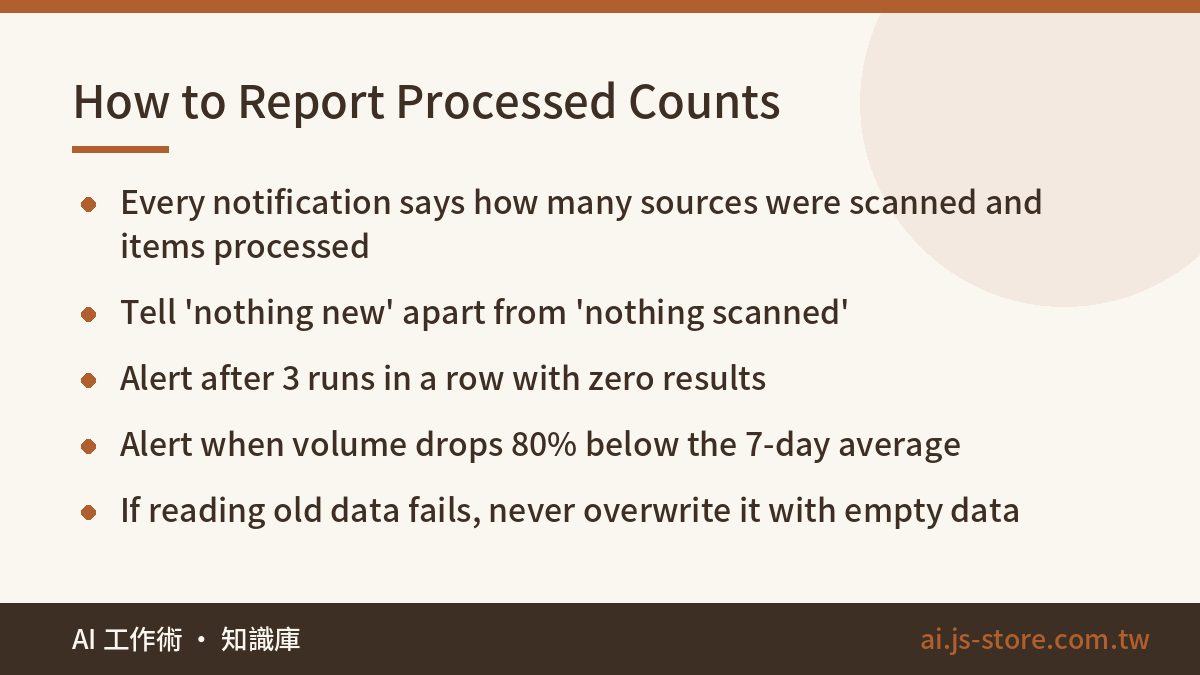
This fix pays off the most, and you don't have to change your architecture: every report an automation sends must include numbers. "Done" tells you something happened. A count tells you what came out of it. A silent failure is exactly the case where something ran and nothing came out.
- Don't: "Daily sync complete ✅"
- Do: "Sync complete: scanned 12 sources, added 34, skipped 2 (duplicates), failed 0, 48s"
You normally see 30-odd new rows. Today it says 0, so you click in. The first message reads the same every day, whether the job worked or not.
Zero means three different things
Zero results can mean three things: (1) there really was nothing new, (2) the source site changed its layout and your selectors match nothing, or (3) your filter is wrong and removed everything. Only the first is fine, but all three send the same notification. So report how many sources you scanned separately from how many items you processed. Twelve sources scanned and zero added is probably just a quiet day. Zero sources scanned means your config failed to load or your source list is out of date, and that should trigger an alert.
Then add two simple thresholds. First, alert after 3 runs in a row with zero results. Second, alert when volume drops 80% below the 7-day average. The second one catches the case where 8 of 10 sources die but the total isn't zero.
One rule we learned by losing data: if reading the previous state fails, never write an empty value back. Take a flow that reads the old file, merges in new data, then overwrites the file. If the read error gets swallowed, it turns into an empty array, and that empty array overwrites months of data while the job reports success. It happened to us, and over a thousand records vanished. Skipping one save is always better than destroying the whole file.
Check 2: Who Gets Told (Logs Nobody Reads Don't Exist)
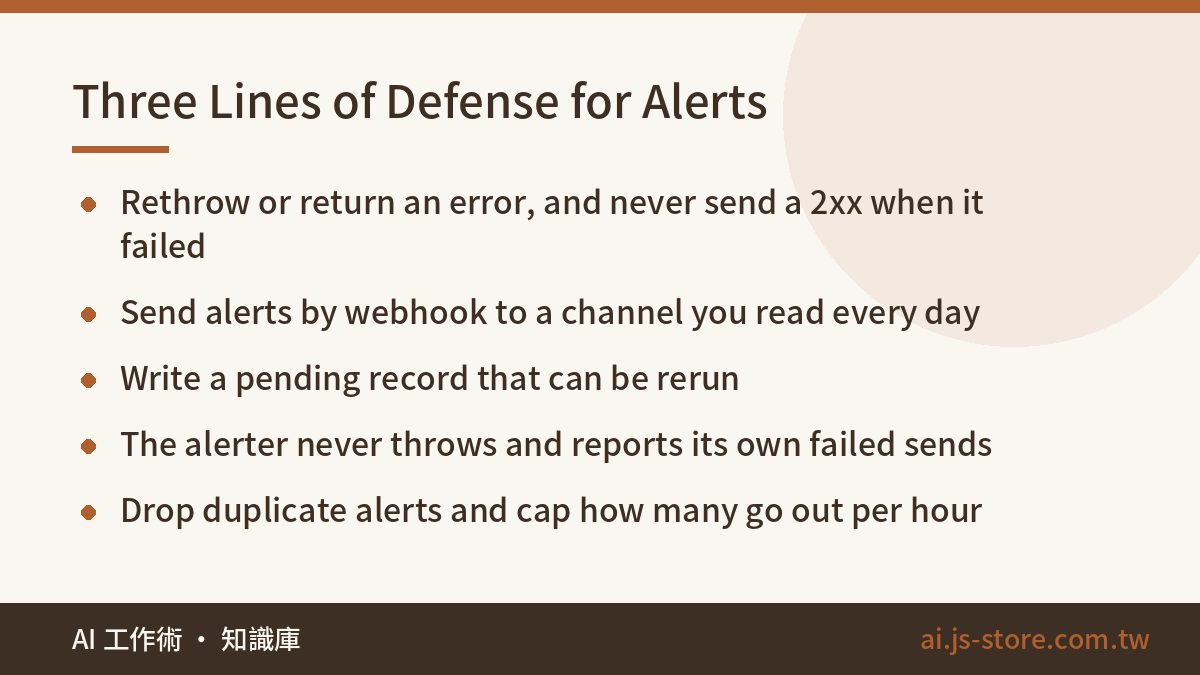
"But I log it" is the most common excuse. Nobody SSHes into a server every morning to tail a file. So the rule is strict: never catch an error, log it and do nothing else. Once you catch it, do at least one of these:
- Rethrow or return an error so the caller knows and can retry.
- Send an alert through a webhook to a channel you actually read, like Slack, Discord or Telegram.
- Write a pending record marked "needs rerun", and make sure it really can be rerun.
We put all of this in one helper, reportSilentFailure(context, err, extra). Any exception we swallow on purpose has to go through it instead of a plain log line. As a bonus, you can grep the codebase and find every place an error is swallowed on purpose. The alerter has four rules of its own:
- It never throws. An alerter that crashes the main flow is worse than having none.
- It complains loudly when it can't deliver, for example by printing
[ALERT-DELIVERY-FAILED]. - It drops duplicates and caps how many it sends per hour. At 300 messages a minute, you'll mute the channel by day three.
- It hides sensitive data before sending. One error log we audited held dozens of plaintext passwords and customer emails, because failed logins wrote out the whole request body.
Also, log the actual error, then check it by reading real log output. Some logger formats print only the message text and quietly drop the error object you passed in. The code looks fine, but the log tells you nothing. Be careful what you return to platform callbacks too. Our Instagram comment auto-reply guide covers how to stop reply loops and what to return when you run out of quota.
Check 3: Ran vs Succeeded (Make the Exit Code Tell the Truth)
Your scheduler judges success by one thing: the exit code. Most jobs process each item, catch errors one item at a time, and keep going. That's fine. But if the script just reaches the end, it exits 0 even when all 100 items failed. The fix: count the failures, and exit with a non-zero code if there were any (sys.exit(1), return self::FAILURE, os.Exit(1)).
Your tests need the same rule, and that's where people forget it. A test that prints "FAILED ❌" and exits 0 is a silent failure too. We had a test that was supposed to block bad releases. It stayed red for months and nobody noticed, for exactly this reason. End every test with exit(0 if ok else 1). Give the project one command that runs every test and exits non-zero if any of them fails. If tests have to be run one at a time by hand, nobody runs them.
Heartbeats: failure alerts aren't enough
Failure alerts have a big blind spot: a job that never starts can't fail, so it never sends an alert. The server restarted and the service didn't come back. Someone overwrote the crontab. A billing problem paused your CI runners. A billing issue once stopped all our pipelines for two days, and nobody noticed because nothing showed red.
Turn it around with a dead man's switch. Each successful run records a timestamp. A separate monitor alerts when that timestamp is older than expected. The question changes from "did it break?" to "did it check in on time?" Wrap each job so it records exit codes and counts failures in a row. Three non-zero exits in a row should become an urgent alert. Then monitor your monitors: add every new alert to the heartbeat the same day, and break it on purpose once to see it fire. If you've never tested an alert, don't count on it.
The 15-Minute Self-Audit
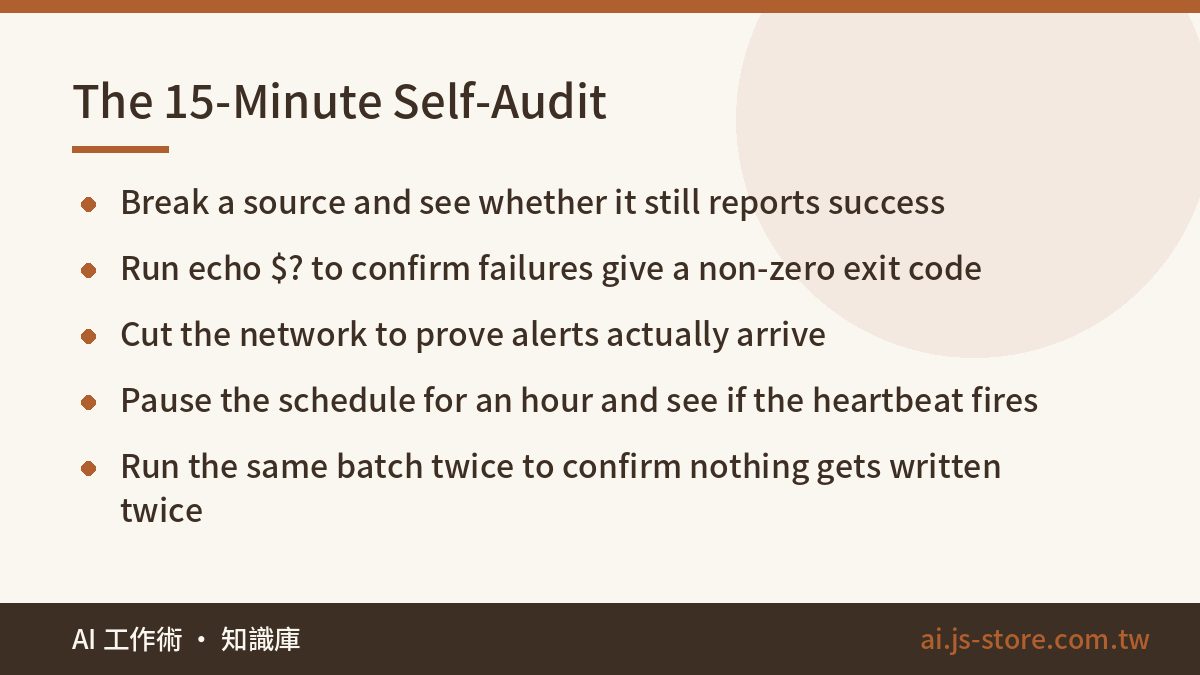
You don't need to refactor anything. Run each automation through this table and look at the real output. Reading the code and assuming doesn't count.
| # | Check | How to test it | Symptom if it fails |
|---|---|---|---|
| 1 | Notifications include counts | Read your last three notifications | Every message looks identical |
| 2 | Zero results trigger an alert | Break the source URL, run once | Still reports "complete" |
| 3 | Exit code on failure | Run echo $? right after | Errors inside, exit 0 |
| 4 | Alerts actually arrive | Cut the network or use a bad token | Channel stays silent |
| 5 | Logs contain the real error | Open the log, read the line | Just "xxx failed" |
| 6 | Heartbeat exists | Pause the schedule for an hour | Nobody notices |
| 7 | Reruns don't duplicate | Run the same batch twice, compare | Doubled rows or messages |
A warning on #7: if running it twice gives a different result from running it once, don't rerun it. If the job issues coupons, charges cards, or sends invoices or messages, a rerun really does it twice. Before you add automatic retries, add a unique key or a table that blocks duplicates. Otherwise you've traded a silent failure for something that quietly happens twice.
Where Silent Failures Hide in AI Pipelines
AI auto-publishing posts half an article. The model's output was cut off, blocked by a safety filter, or came back as an explanation instead of content. It's still a valid string, so it gets published. Add a check: if it's below a minimum word count or missing required sections, send it to review instead.
AI output that exists but is wrong. The image or subtitle file was created, its size looks normal, and the pipeline reports success. But a number changed or the on-screen text is garbled. A code check won't catch that. You need spot checks by a person or rule-based comparisons. We hold this line in the ShooWork Clip pipeline: a file existing doesn't mean it passed.
Quota errors that look like "no data". A 429, an empty balance or an expired key can all turn into "this batch was empty" if your catch is too broad. (If you're budgeting usage, see what an AI token is and how to estimate costs.) This was the most common pattern in our audit: a try/catch should cover only the one line you expect to fail. We meant to handle "record not found", but the catch also hid the failed write and the failed audit-log entry that came after it.
FAQ
Q: Do no-code tools like n8n or Make have silent failures too?
Yes, and they're even easier to miss. A node that returns an empty array still counts as a successful run. Add a check at the end of the flow: if the count is zero or below your threshold, route it to an alert. Also make sure your error path isn't set to "ignore and continue".
Q: Won't alerting on every job flood my channel?
Only if you don't drop duplicates and cap the volume. Alert when something changes: once when it breaks, once when it recovers, and at most once an hour while it stays broken. Put routine successes into one daily summary with the counts in it. If the alert channel floods, people mute it, and then you have no alerts at all.
Q: I'm a solo builder. Do I really need all this?
Do at least two things: put counts in every notification, and exit with a non-zero code on failure. Together that's under half an hour of work. It prevents most of the "it was broken for two weeks" stories. For heartbeats, a free external cron-monitoring service is fine to start with.
Q: How do I know my alerts actually work?
Break something on purpose. Use a wrong key, point at a URL that doesn't exist, or pause the schedule, then check whether the notification arrives. If you've never tested an alert, assume it doesn't work.