Vrew Review & Alternatives: Who Should Use It (and Who Shouldn't)
Published 2026-10-23 · Updated 2026-10-23 · 8 min read · ShooWork (FREECO CO., LTD.)
Vrew review: where its auto-subtitles hold up, where they break, what the free plan blocks, and when CapCut, a subtitle tool or done-for-you editing wins.
Here's the short version: Vrew's auto-transcription works well when one person speaks clearly into a decent mic in a quiet room. Most lines come out usable without a second listen. But brand names, jargon, mixed-language sentences, numbers and heavy accents trip it up on almost every video, and you'll fix those by hand.
That's fine, because accuracy was never Vrew's real selling point. What makes it worth using is that the transcript is the timeline. Delete a sentence in the text and the matching chunk of video goes with it. If you make talking-head content, that changes how fast you can work.
So the question isn't which tool has the smartest AI. It's whether you actually want to edit. If you want control over pacing and can spend 30 to 60 minutes on a 10-minute video, Vrew or CapCut will do the job. If you only need a transcript or subtitle file, a dedicated subtitle tool is cleaner. If you never want to open an editor, you don't need software at all. You need someone to do it for you. Everything below comes from footage we've run ourselves while building ShooWork's own video-editing engine. Plans in this category change often, so we don't quote prices here. Check each official pricing page before you commit.
The Quick Answer: Four Kinds of Creators, Four Picks
You don't need to trial every option. Find yourself in this table first:
| Your situation | Pick | Why |
|---|---|---|
| Solo talking head, you want to control pacing, tight budget | Vrew | The transcript is the timeline, so cutting filler and fixing captions is fastest |
| Vertical short-form with animated captions and templates | CapCut | The biggest library of caption effects and templates, on phone and desktop |
| You only need transcripts or multilingual subtitle files | A subtitle tool such as Taption | Upload, translate, export SRT. Far simpler than any editor |
| You want to record and walk away | Done-for-you editing | Hand over raw footage, get a finished video back. The time cost isn't yours |
If subtitles are the whole job and editing isn't, our guide to Taption alternatives goes deeper on the subtitle-only route.
How Accurate Is Vrew's Transcription, Really?
Start with the good news. Take a talk-to-camera video recorded indoors with a directional mic, normal speed, no background music. Vrew's transcript reads fine without re-listening, and most sentence breaks land somewhere sensible. That's good enough to make editing decisions straight from the text.
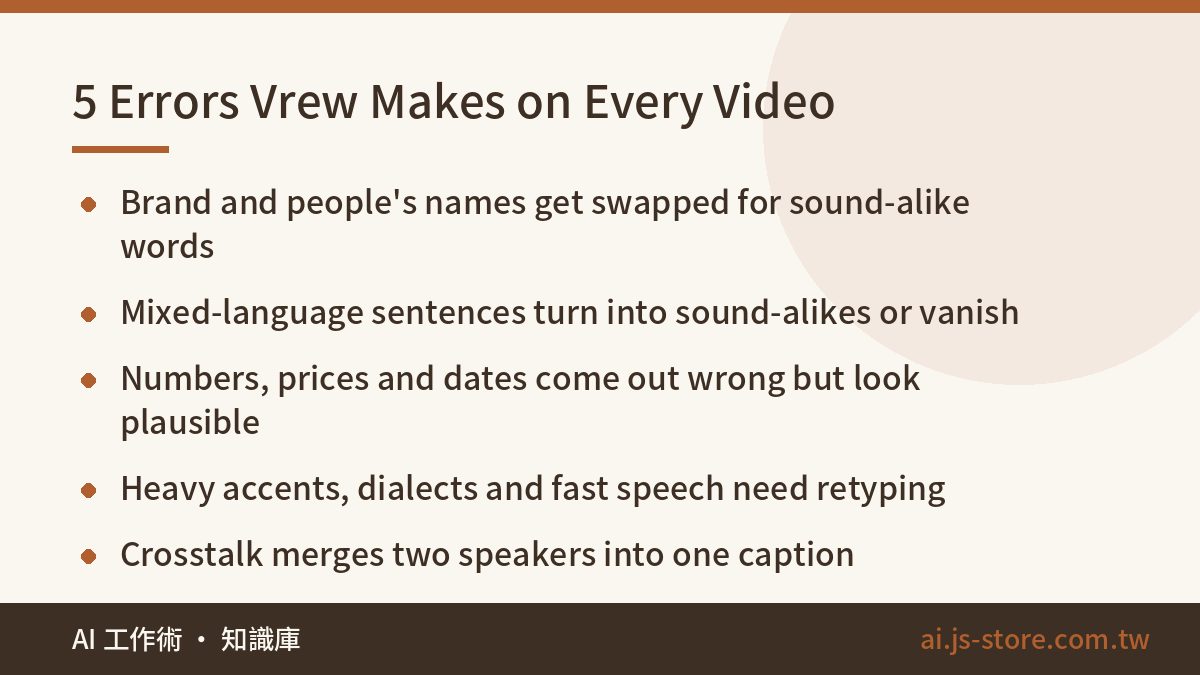
Most of our test footage was Mandarin with English terms mixed in, which is a harsh test for any speech engine. Across that and our English clips, a handful of errors showed up reliably, video after video. Check for these every time:
- Proper nouns and brand names. Your product name, people's names and company names get swapped for common words that sound similar.
- Mixed-language sentences. Drop an acronym or tool name from another language into a sentence and it becomes a sound-alike word or vanishes completely.
- Numbers, prices and times. Spoken figures like "twenty-three hundred" or "fifteen minutes" come out with the wrong digits or the wrong unit.
- Heavy accents, dialects and fast talkers. Dialect-heavy lines usually need retyping, and once you speed up, sentences merge or words go missing.
- Crosstalk. When two people talk over each other, both lines get mashed into one, and speaker labels can't be trusted.
The numbers problem deserves its own warning. AI gets numbers wrong differently from people. It doesn't leave an obvious typo. It writes a perfectly plausible wrong number, which is exactly why you won't spot it on a skim. If your video mentions a price, a date or a spec, check every one against what you actually said before you publish.
The second gap people miss is line breaks. Vrew tends to split captions where you breathe, not where the meaning ends. You get half a thought in one caption and the key word pushed into the next. On vertical video, where viewers only see one or two lines, that kills comprehension. Fixing it means merging and re-splitting by hand, and no AI makes that call for you.
Here's how to test it properly: don't judge Vrew on the demo video. Run the hardest three minutes of your own footage through it and count the lines you have to fix. If the count annoys you, this workflow doesn't fit your content.
What the Free Plan Won't Let You Do
Vrew's free plan covers more than you'd expect. You can upload video, generate subtitles and edit from the transcript. What stops people usually isn't the editing. It's these:
- Export watermark. Free exports typically carry Vrew branding. For anything commercial, that's a non-starter.
- Monthly credits on generative features. AI voices, translation and images burn compute, so they're metered monthly. When credits run out, those features stop, no matter how much editing you have left.
- Export quality and length caps. Higher-resolution output and longer projects usually sit behind paid tiers.
- Commercial licensing. Whether built-in voices and assets can go into ads or client work depends on your plan. Read the terms yourself.
Don't pay first and test second. Finish one complete video on the free plan and write down two numbers: minutes spent fixing subtitles, and how many locked features actually got in your way. The first tells you whether the workflow is worth keeping. The second tells you whether paying would change anything. Skip this and you can easily pay for a year before discovering the transcription just doesn't handle your accent.
Silence Removal and Text-Based Editing: Where It Shines, Where It Bites
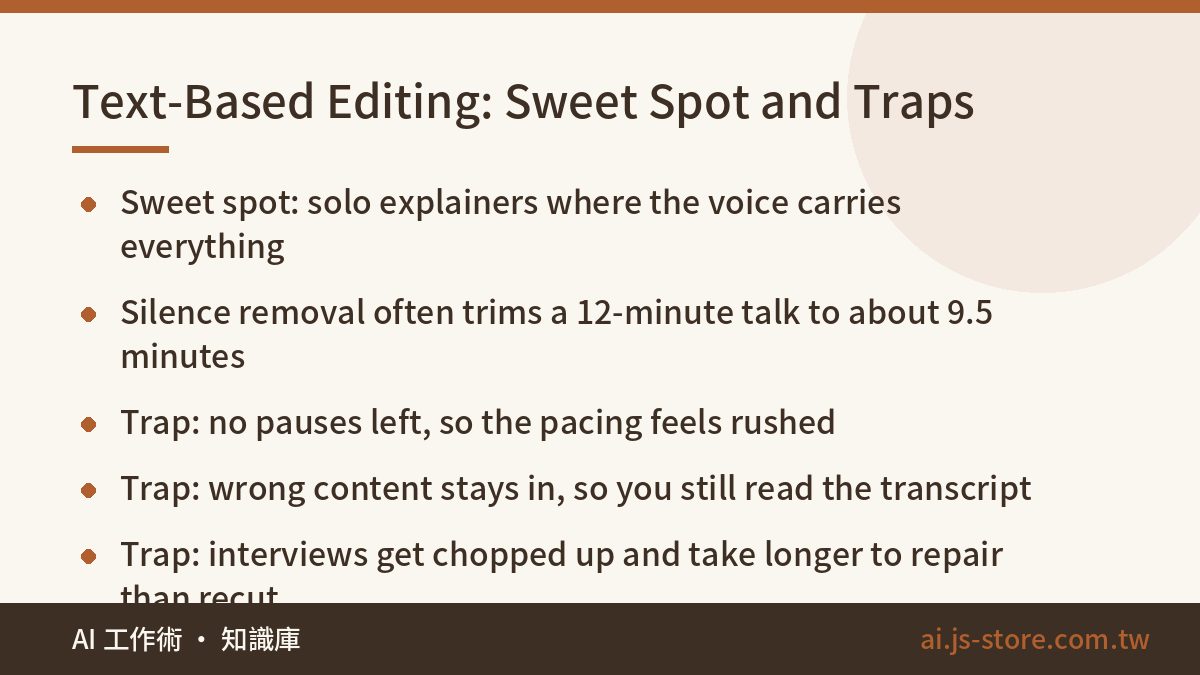
Vrew's most popular feature is automatic cleanup. It detects silent gaps and filler words like "um" and "so", and you remove them in one batch. A rambling 12-minute monologue shrinking to about nine and a half minutes is completely normal.
It works best for:
- Solo explainers, tutorials and unboxings where the voice drives the pace.
- Unscripted recordings you tighten up afterwards.
- High-volume series where every episode follows the same structure.
The costs are real, though:
- The pacing turns breathless. Strip every pause and viewers get no room to breathe. The beat before a key point gets cut with the dead air, and it all sounds rushed.
- Mistakes stay in. It removes silence and filler, not wrong content. You still read the whole transcript.
- Interviews fall apart. We tested two-person conversations with people talking over each other. Auto silence removal chopped the back-and-forth so badly that repairing it took longer than re-editing from scratch.
- Caption styling is conservative. For word-by-word color pops, enlarged keywords and stickers, CapCut pulls well ahead.
Building our own editing engine taught us one rule: editing from a transcript only works when the audio carries all the information. Knowledge content and spoken tutorials fit. The moment the visuals tell the story, as in interviews, vlogs and hands-on process videos, someone has to watch the footage and decide what stays. Silence detection can't do that.
Vrew vs CapCut vs Subtitle Tools vs Done-for-You
| Vrew | CapCut | Subtitle tools | Done-for-you editing | |
|---|---|---|---|---|
| What it is | Transcript-driven editor | General editor plus templates | Subtitle and transcript production | A service: send footage, get a finished video |
| Auto-subtitles | Good, but names and numbers need fixing | Good, editing them is more manual | Good, widest translation and export options | Included and proofread for you |
| Who edits | You | You | Nobody, you get subtitle files | Not you |
| Learning curve | Low, but you think in text | Medium, lots to learn | Very low | Close to zero |
| Best at | Shortening long solo talks | Vertical shorts with styled captions | Multilingual subtitles, transcripts | Steady output when you're short on time |
| Cost | All four have a free or trial starting point. Check each official pricing page for current limits | |||
In practice, most creators combine two. Use Vrew for the transcript and rough cut of a long video, then move clips into CapCut for styled captions and a thumbnail. To see what else could plug into that pipeline, browse our AI tools directory.
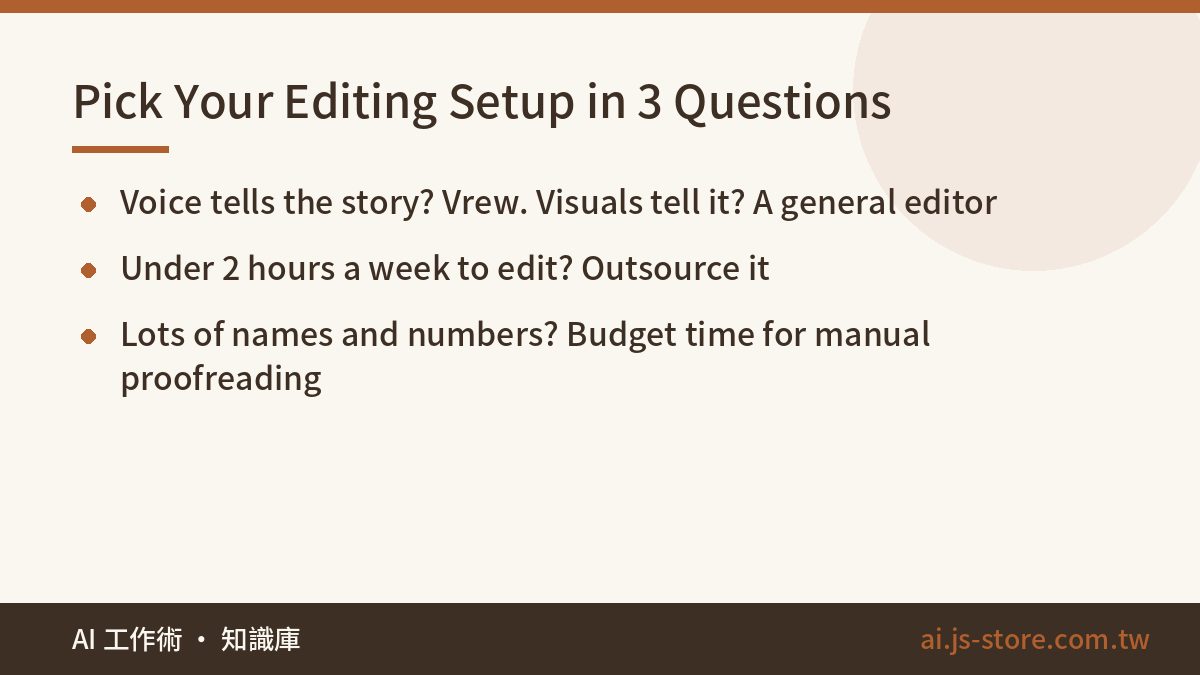
To decide, ask yourself three questions:
- Who tells the story in your videos? If it's your voice, Vrew has the edge. If it's the visuals, use a general editor.
- How many hours a week will you really spend editing? Under two, and you still want to publish consistently? No tool will save you. Outsource it.
- How many names and numbers are in your content? A lot means manual proofreading is mandatory, so count that time when comparing tools.
One more thing: perfect subtitles won't save a script nobody finishes. If you write scripts with AI, run them through our checks on how to fix AI tone in writing before you record. That does more for watch time than any caption font.
FAQ
Q: How accurate are Vrew's auto-subtitles?
There's no single honest number, because it depends on your audio quality and how you speak. A solo speaker with a clear accent in a quiet room gets mostly usable lines straight away. Background music, multiple speakers, dialects or mixed languages push the fix count up noticeably. The only reliable test is running your own hardest footage through it.
Q: Can I use the Vrew free plan for commercial videos?
Free exports usually carry a watermark, which makes them hard to use commercially. Commercial rights for built-in AI voices and assets also vary by plan, so read the official terms and pricing page instead of relying on someone else's screenshot.
Q: Do I have to choose between Vrew and CapCut?
No. A common setup is Vrew for transcription, silence removal and the rough cut, then CapCut for styled captions, transitions, thumbnails and vertical exports. If you mostly make short-form, you can keep only CapCut and hand subtitles to a dedicated subtitle tool.
Q: I only need transcripts and multilingual subtitles. What should I use?
A dedicated subtitle tool. Exporting SRT or VTT files and translating into multiple languages is exactly what they're built for, without an editing interface you don't need.
Q: I don't want to touch editing software at all. What are my options?
Don't force yourself to learn it. Handing footage to an editing service is a normal trade of money for time, especially when your hours are worth more spent filming or closing deals. We built ShooWork Clip because this exact bottleneck kept slowing us down: you upload raw footage and get back a video ready to publish, with subtitle proofreading and pacing decisions handled for you.