What Is an AI Agent? Which Processes to Hand It
Published 2026-09-23 · Updated 2026-10-14 · 7 min read · ShooWork (FREECO CO., LTD.)
An AI agent is a model with tools and a loop, not a digital employee. Here's how to spot the processes worth handing over — and the ones to skip.
"AI agent" is probably the most over-stretched phrase in software right now. In a vendor deck it does everything. In your boss's head it's a digital employee who never takes vacation. To the engineers actually wiring one up, it's a stack of frameworks that finds a new way to break every couple of weeks. So here is the plain version: an AI agent is a language model that has been handed tools and a goal, and is allowed to loop — decide, act, check the result, correct itself, act again — until the job is done or it gives up.
That loop is the entire difference. A chatbot's ceiling is the answer it types back at you. An agent's ceiling is whatever your systems let it touch. Which means the useful question is never "how smart is the model." It's "which processes in my company are shaped in a way an agent can actually finish, and which ones will go wrong quietly in a way nobody notices for three weeks."
We run our own AI tool platform at ShooWork — a video-editing engine behind ShooWork Clip, an SEO writing product, ads tooling — and we have agent-style automation running in production every day. We also get asked to "agent-ify" a lot of processes. Honest ratio from our own inbox: maybe one in five is a genuinely good fit. The rest either aren't big enough to pay back the build, or they're sitting on systems too messy to give an agent anything to hold onto. This article is about telling those apart before you spend the money.
An agent acts; a chatbot answers
Here's the difference in one concrete example. Chatbot customer service: "You can check your order status in your account dashboard." Agent customer service: it actually queries the order system, sees the package is stuck because the pickup location closed, switches the delivery method to home address, updates the order record, and replies to the customer telling them what it did.
The first one is an FAQ that talks. The second one is a process that runs. Same underlying model, wildly different value — and wildly different risk profile, which is the part people skip past.
Technically, this is tool calling. You wrap each capability of your system in a clearly defined function — look up order, update shipping method, send notification — and hand those definitions to the model. During its reasoning, the model decides which one to call and with what arguments. The agent's real ceiling isn't the model's intelligence. It's which tools you gave it and how tightly you scoped each one's permissions. An agent with read-only access to three systems is a fundamentally different animal from one that can issue refunds, and you decide which animal you built.
This is also why "we'll just plug in a smarter model later" doesn't rescue a bad agent project. A smarter model with no API to call is still a chatbot with extra steps.
Four traits that make a process worth handing over
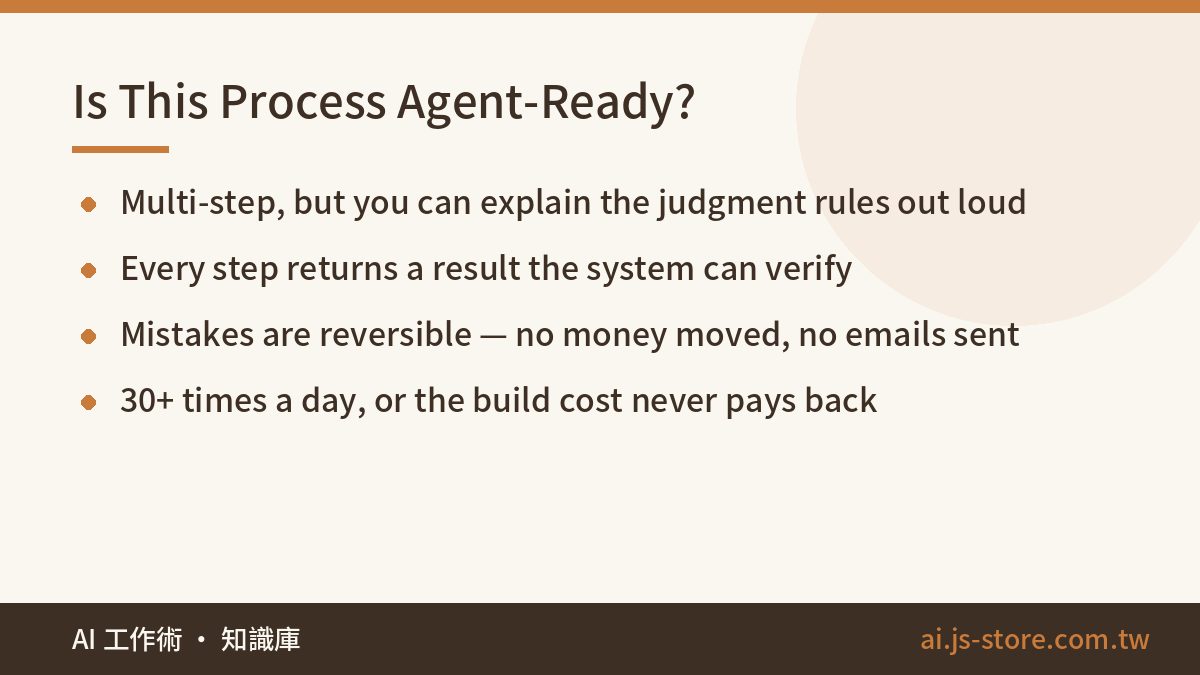
When we evaluate whether a process should become an agent, we look at four things. Miss any one of them and the project usually stalls out in pilot.
- Multi-step, but the steps are enumerable. "Query system A, check it against condition B, update field C, notify D." There's judgment between the steps, but you can explain the judgment rules out loud in under a minute. If it's genuinely one step, you don't need an agent — you need one API call and a cron job.
- Every step returns a verifiable result. Did the lookup find a record? Did the update succeed? The system tells you, unambiguously. Agents steer by result feedback. Give them a process where "did that work?" is a matter of opinion and they will wander in circles, confidently.
- Mistakes are recoverable. Anything you can undo or re-run is a safe place to let an agent learn. Irreversible actions — sending money, emailing customers, deleting records — either don't get a tool at all, or get designed as "the agent prepares it, a human clicks approve." There's no third option that ends well.
- The volume justifies the build. A process that happens three times a day, a person should just do. Thirty-plus times a day is where build cost starts paying itself back. This is the filter that kills most agent ideas, and it should.
Processes that tend to score well on all four: customer service lookups and their follow-up actions, routine health checks on operational metrics with exception alerting, cross-system data reconciliation and sync, and multi-step internal admin approvals. On our own product line, the daily data sweep and the content compliance scan both run as agent-style automation. Both are high-volume, both have verifiable step results, and both are fully recoverable if they get something wrong.
What agents can't do — the part vendors skip
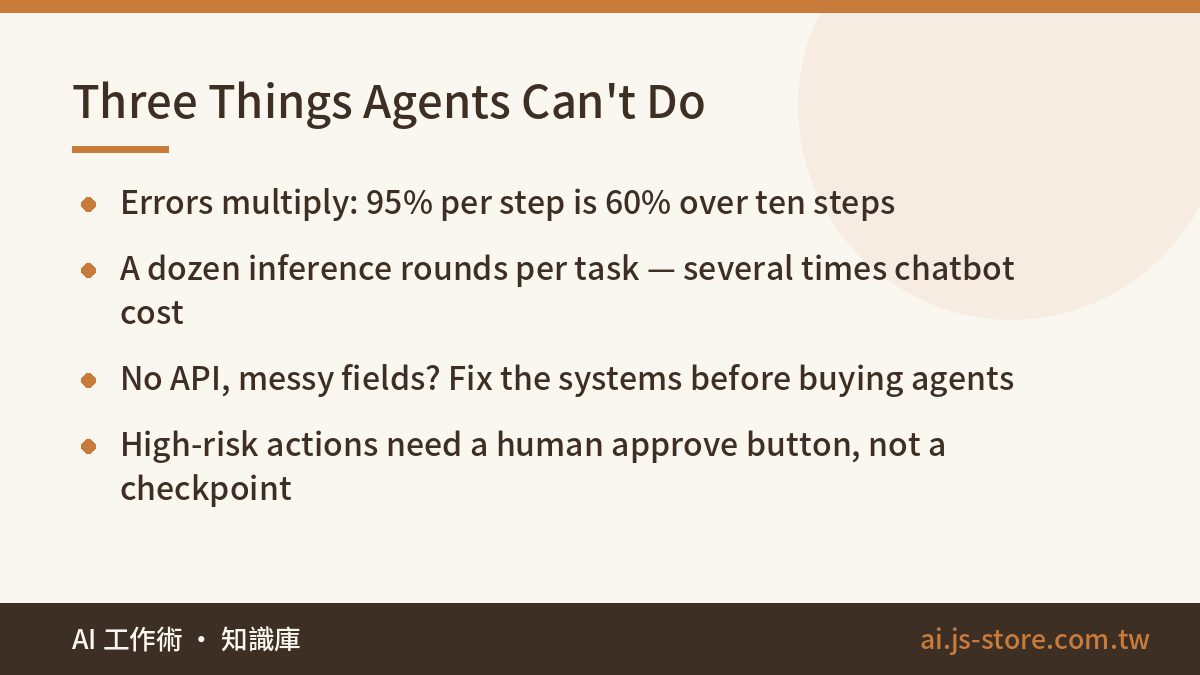
Now the honest half.
First: agents fail confidently. They pick the wrong tool, pass the wrong argument, or get stuck in a dead-end loop while reporting progress. And errors compound multiplicatively. A 95% success rate per step sounds excellent — until you chain ten steps, and 0.9510 leaves you at roughly 60% end-to-end. This is why reliable agent systems are never "let it figure things out." They're narrowed scope, checkpoints at critical nodes, and a human confirmation gate on anything expensive or irreversible.
Second: agents are not cheap. Multi-step means multiple model calls. A single task routinely burns a dozen or more inference rounds, plus the context of everything it has read along the way. Cost per completed task can run several times what a chatbot interaction costs. Pricing moves constantly across providers, so don't take a number from a blog post — check the official pricing page for whichever model you're on, then measure your own average steps per task.
Third: agents need clean system interfaces. If your internal tools have no API, if your field definitions drift between systems, if the source of truth for a customer record is somebody's spreadsheet — there's nothing for the agent to hold. A lot of companies asking about agents should be spending that budget on system readiness first. It's less exciting and it's the actual bottleneck. If you're in that position, building an AI knowledge base is often the more honest first project: it forces you to clean up where information lives, and you get value out of it either way.
An agent isn't a digital employee. It's an automated process that makes its own judgment calls. Design it like a process and it works; expect it to behave like a hire and you'll be disappointed on schedule.
Budget it like a system, not a subscription
Agent projects have two cost curves and people usually only plan for one. There's the build — integration work, tool definitions, permission scoping, the evaluation harness that tells you whether it's working. And there's the running bill, which scales with volume and with how many steps each task takes. Those behave completely differently over a year, and we've written up that split in detail in AI project costs.
The number that decides everything is cost per completed task versus cost per task done by a person, including the human time spent reviewing agent output and cleaning up its mistakes. That last part is the one people leave out, and it's often the difference between a project that pays back and one that just moves work sideways. Our method for running that math without fooling yourself is in how to calculate AI ROI.
One more line item: access review. An agent with credentials to four internal systems is a new kind of surface area, and it deserves the same scrutiny as onboarding a contractor with the same permissions. The five questions in AI security basics are worth going through before the first tool gets wired up, not after.
How to start without betting the quarter
Same advice we give for every AI rollout. Pick one process that is high-volume, clearly stepped, and fully recoverable. Run it for two weeks at small scale. Measure four things and write them down before you start, so you can't move the goalposts afterward:
- Completion rate — what percentage of tasks finish correctly with zero human touch.
- Cost per completed task — total model spend divided by successful completions, not by attempts.
- Intervention rate — how often a human had to step in, and what they had to fix.
- Failure mode — when it broke, did it break loudly or silently? Silent failures are the ones that will hurt you at scale.
Then decide whether to expand. The point of the first agent project is for your team to learn how the thing actually behaves under your own data and your own edge cases — not to replace anyone in one jump. Teams that treat pilot one as a learning exercise tend to have a working agent by project three. Teams that treat pilot one as the rollout tend to quietly stop talking about agents by month four.
If you want a sense of where this fits alongside the less glamorous, more reliable AI wins, our own working routine is written up in how we actually use AI at work. Most of what saves us time isn't agents. Agents are the part that saves the most time in the narrow places where they fit.
FAQ
Q: What's the actual difference between an AI agent and a chatbot?
Tools and a loop. A chatbot produces text. An agent is given functions it can call — query a database, update a record, send a notification — and permission to keep going until the goal is met. Same model underneath; the difference is what you let it touch and whether it gets to iterate on the result.
Q: Do I need an AI agent, or just automation?
If the steps are fixed and the judgment is a simple if/then, write normal automation. It's cheaper, faster, and it fails predictably. You want an agent when the steps vary case by case and the judgment is genuinely context-dependent — reading a messy customer message and deciding which of six paths applies, for example.
Q: How reliable are AI agents in production?
Per step, quite good. End to end, it depends entirely on chain length, because errors multiply. Ten steps at 95% each lands near 60% overall. The fix isn't a better model, it's shorter chains, checkpoints between stages, and a human approval gate before anything irreversible.
Q: How much does running an agent cost?
Several times a chatbot interaction, because one task means many model calls with growing context. Exact rates change often — check the official pricing page for your provider, then multiply by your measured average steps per task. Budget the integration build separately; it's usually the larger number in year one.
Q: What should my first agent project be?
Something high-volume, clearly stepped, and reversible — data reconciliation between two systems, or routine metric checks with exception alerts. Avoid anything customer-facing or money-moving for the first attempt. You want a project where being wrong costs you an afternoon, not a refund.